What is Task Sentry?
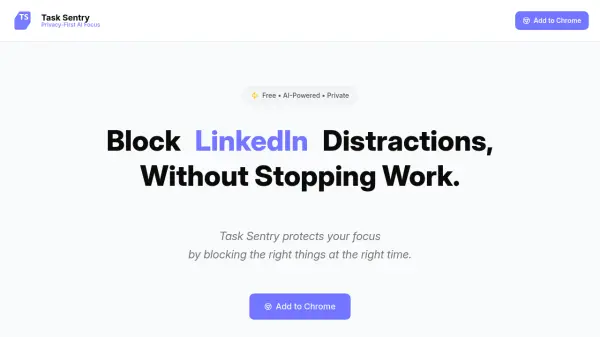
Task Sentry protects your focus by blocking distractions in real-time, without stopping your work. Unlike traditional website blockers, its AI understands context, differentiating between watching a kitten video for a break and researching for work. It works locally on your computer, ensuring no browser data is transferred. With a forever free plan and a simple Pro upgrade, it provides effortless, proactive focus protection.
Features
- AI-Powered & Context-Aware: Understands the difference between productive and distracting browsing.
- 100% Local Processing: Analyzes browsing data directly on your PC, never uploaded anywhere.
- Effortless & Proactive: Catches impulsive clicks in real-time, protecting focus on low-motivation days.
- Profile-based blocking: Manage different blocking rules for different profiles.
- Task-based blocking: Block distractions based on specific tasks.
Use Cases
- Blocking social media distractions during work hours.
- Limiting time-wasting video sites while allowing educational content.
- Preventing impulsive clicks on distracting links.
- Maintaining focus on low-motivation days.
- Managing screen time for different profiles (e.g., work vs. personal).
FAQs
-
How does Task Sentry ensure privacy?
Task Sentry processes all browsing data locally on your PC. No data is uploaded or transferred, ensuring your browsing habits remain private. -
Can Task Sentry distinguish between work and personal browsing on the same site?
Yes, Task Sentry uses AI to understand context. It can differentiate between, for example, watching a tutorial on YouTube for work and watching a kitten video for distraction. -
Is there a free plan?
Yes, Task Sentry offers a forever free plan that includes 1 profile and 5 tasks per profile with profile-based and task-based blocking. -
What happens on low-motivation days?
Task Sentry works proactively to catch impulsive clicks in real-time, protecting your focus even when your willpower is low. -
What is the Pro plan?
The Pro plan costs $15/month and includes unlimited profiles and tasks, plus priority support and upcoming task sync.