What is Inflow?
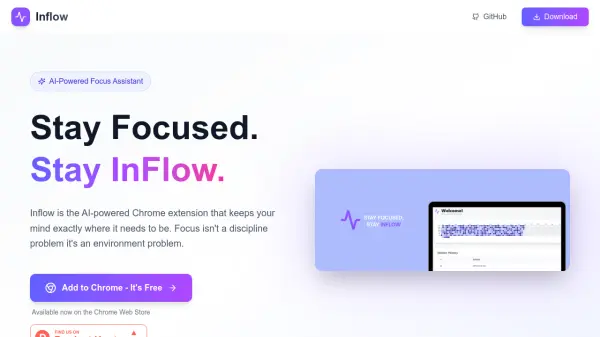
Inflow is an AI-powered Chrome extension designed to help you maintain focus during work sessions. Unlike traditional website blockers that are rigid, Inflow uses semantic similarity models to understand the content of every page you visit and compare it to your focus topic. When you start to drift off-topic, it provides gentle nudges and smart suggestions to get you back on track.
All processing happens locally in your browser, ensuring your data never leaves your device. Inflow offers features like smart focus sessions, real-time focus heatmaps, session history, and fully configurable settings including focus goals and similarity thresholds. It is available as a free Chrome extension on the Chrome Web Store.
Features
- AI-Powered Analysis: Uses semantic similarity to understand page content and relevance to your focus topic.
- Smart Focus Sessions: Launch timed sessions where Inflow monitors your tabs and gently nudges you back on track.
- Privacy First: All processing happens locally in your browser. No data ever leaves your device.
- Focus Insights: Real-time focus heatmap and session history to track your productivity patterns.
- Fully Configurable: Define focus goals, similarity thresholds, and choose between gentle nudges or active blocking.
- Semantic Understanding: Goes beyond URL blocking, understands content meaning to make intelligent decisions.
Use Cases
- Maintaining focus during research sessions.
- Avoiding distractions while writing or coding.
- Tracking and improving daily productivity patterns.
- Staying on task during online learning or courses.
- Managing time effectively while working on multiple projects.
FAQs
-
How does Inflow ensure my privacy?
All processing happens locally in your browser. No data ever leaves your device. -
Can I customize the sensitivity of the nudges?
Yes, Inflow is fully configurable. You can define focus goals, similarity thresholds, and choose between gentle nudges or active blocking. -
What browsers does Inflow support?
Inflow is currently available as a Chrome extension from the Chrome Web Store.