What is TableAir?
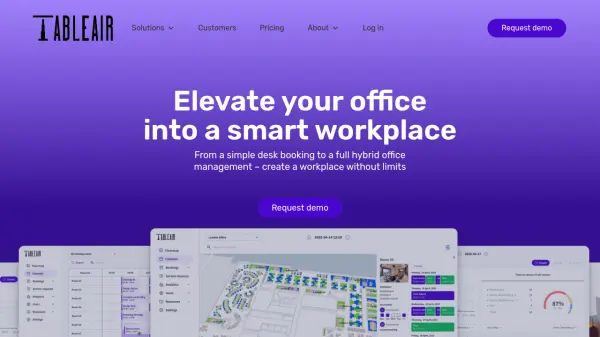
TableAir offers a complete suite of hybrid workplace management tools designed to transform traditional offices into smart, flexible environments. The platform enables employees to book desks, meeting rooms, and parking spaces through user-friendly interfaces accessible via web dashboard, iOS, and Android applications. Organizations can utilize workplace analytics to gain insights into space usage patterns, helping reduce real estate costs while improving resource allocation.
The solution integrates seamlessly with popular productivity tools including Microsoft 365, Outlook, Teams, Power BI, Azure Active Directory, Google Workspace, Calendar, Okta, and BambooHR. TableAir supports various check-in methods including QR code scanning and room displays, while offering features like recurring bookings, priority reservations, anonymous booking options, and automatic resource release for no-shows. The platform provides unlimited users and reservations across all pricing plans.
Features
- Desk Booking: Create flexible work environments with hot desking, recurring bookings, and automatic desk release for no-shows
- Meeting Room Management: Organize meetings through calendar integrations with catering requests and room utilization analytics
- Parking Reservation: Manage office parking lots with zoning, guest parking, and integration with third-party parking systems
- Visitor Management: Provide professional visitor entry systems even without front desk staff
- Workplace Analytics: Analyze space usage patterns to reduce real estate costs and optimize office layouts
- Integration Suite: Connect with Microsoft 365, Google Workspace, Okta, BambooHR and other productivity platforms
- Multiple Access Points: Access through website dashboard, iOS and Android mobile applications
- Custom Branding: Tailor the solution with company branding and custom integrations for unique business needs
Use Cases
- Implementing hot desking policies in hybrid work environments
- Optimizing meeting room utilization across multiple office locations
- Managing parking allocation for employees and visitors in corporate campuses
- Streamlining visitor registration and security in office buildings
- Analyzing workplace usage data to reduce real estate overhead costs
- Creating flexible work arrangements with desk and room booking systems
- Integrating office management with existing HR and productivity software
- Automating resource booking through sensors and QR code check-ins