What is superReply?
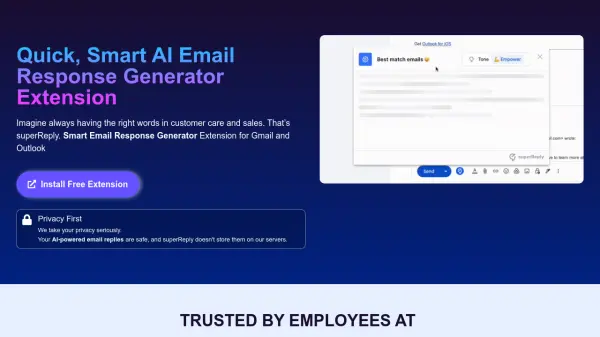
superReply is a Chrome extension that helps users craft quick and effective email responses. It integrates seamlessly with Gmail and Outlook, providing AI-powered suggestions for various situations, ensuring the right tone and message for customer care and sales interactions. The tool prioritizes user privacy, with encryption of all emails and replies, ensuring no data storage on superReply's servers.
It's designed to be fast and user-friendly, optimizing the email management process. superReply gives users the tools to improve their email correspendence, and save valuable time.
Features
- Email Response Automation: AI-powered reply suggestions for fast email handling.
- Tone-Matching: Personalized email responses to fit any situation, from professional to casual.
- Smart Responses: Multiple AI-generated reply options with a single click.
- Privacy Focused: Emails and replies are encrypted and not stored on servers.
- Free to Start: Send up to 90 emails per month at no cost with the free plan.
Use Cases
- Customer support email replies
- Sales outreach and follow-ups
- Responding to client inquiries
- Managing high volumes of emails
- Generating professional email responses
- Internal team communication
FAQs
-
How does superReply shield my electronic mail privacy and protection?
superReply employs ultramodern technology and safety protocols to protect your emails and personal information. We prioritize your privacy and protection and will never share your data without your consent. -
Can superReply integrate with my current electronic mail provider?
superReply ai for efficient email management is designed to be like-minded with most principal electronic mail carriers. Integration is easy and requires no technical abilities, allowing you to optimize your email control quickly. -
How quickly can I get customer support?
Feel free to chat with us in-app or send us an email, and our team will respond within 24 hours. We value your feedback and look forward to hearing from you! -
How do I cancel my subscription?
To cancel your subscription, please follow these steps: Click on the superReply icon in your email, then click on the settings icon. Under “Manage Account,” click on the “manage” button.From there, you can cancel your subscription on the Stripe portal. If you need any assistance with canceling your subscription, please feel free to send us an email at [email protected].