What is Supercut?
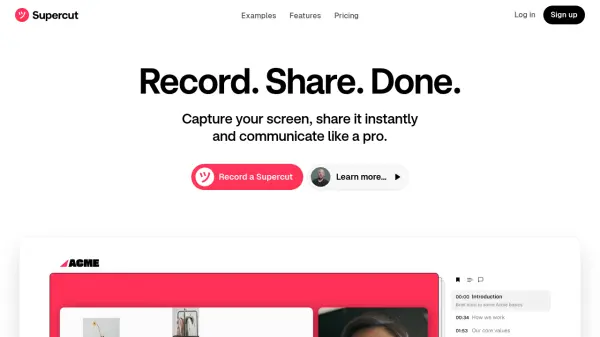
Supercut provides a platform for recording screen activity in resolutions up to 4K, designed to support professional communication needs. It facilitates immediate sharing of recordings through public or private links, incorporating custom branding and various layout choices. The viewing experience is enhanced by smart navigation capabilities, which automatically generate video chapters, alongside options for users to add comments and reactions directly onto the video timeline.
In addition to recording and sharing, Supercut offers analytics to track views and engagement levels for shared content. Users can integrate call-to-action buttons within recordings, directing viewers to external links such as booking pages or websites. The tool is built to support team usage, ensuring a consistent professional look for all shared screen captures.
Features
- High-Resolution Recording: Capture screen activity in up to 4K quality.
- Instant Sharing: Share recordings immediately via public or private links.
- Custom Branding: Apply your own branding and select from multiple layouts.
- Smart Navigation: Automatically generates chapters within the video for easier navigation.
- Timeline Comments & Reactions: Allow viewers to comment or react directly on the video timeline.
- Engagement Analytics: Track views and user engagement on shared videos.
- Call-to-Actions (CTAs): Embed interactive buttons like 'Book a call' or 'Visit website'.
- Q&A and Document Generation: Ask questions about the video content or generate documents from it.
- Team Functionality: Equip teams to create and share professional-looking recordings.
Use Cases
- Creating software tutorials and product demonstrations.
- Recording design feedback and walkthroughs.
- Sharing asynchronous presentations or updates.
- Developing employee onboarding materials.
- Providing visual technical support.
- Capturing team meetings for review.
- Collaborating on video-based projects.