Static Z Software
Professional Mac audio and screen recording applications

What is Static Z Software?

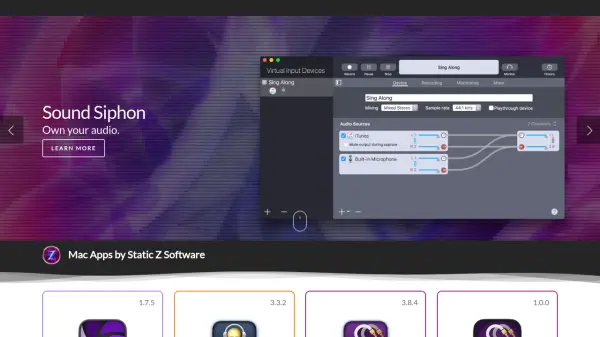
Static Z Software creates professional-grade applications for macOS, focusing on audio management and screen recording solutions. The company offers several tools including Sound Control for app-specific volume and equalizer adjustments, Sound Siphon for advanced audio capture between applications, and Iris for screen recording with system audio integration.

These applications are designed to enhance productivity and creativity for Mac users by providing precise control over audio output and input, as well as reliable screen recording capabilities. The software is available through the Mac App Store with 14-day trial periods for most products, allowing users to test functionality before purchase.

Features

  • Sound Control: App-specific volume and equalizer adjustments
  • Sound Siphon: Audio capture between different applications
  • Iris: Screen recording with system audio integration
  • SparkFX: Sound board functionality for audio playback
  • Mac App Store availability: Direct download and updates through Apple's platform
  • 14-day trials: Free trial periods for most applications

Use Cases

  • Adjusting individual application volume levels on Mac
  • Capturing audio from one application to use in another
  • Recording screen activity with system audio included
  • Creating sound boards for quick audio playback
  • Managing audio equalization for specific apps
  • Viewing TCC database permissions on macOS

Related Tools:

Blogs:

  • Top 6 AI note-taking tools for 2026: in-person, online, and hybrid use cases

    Top 6 AI note-taking tools for 2026: in-person, online, and hybrid use cases

    Most AI note-taking lists are really lists of meeting bots, which join your video call and transcribe it. That's useful, but it's half the picture. Decisions happen in hallway conversations, client dinners, on-site visits, and hybrid rooms where nobody is on a video link. This guide covers different parts of the note-taking workflow: hardware capture for in-person settings, platform-native tools for online calls, and AI layers for organizing and synthesizing what you've captured. It compares six tools by capture context, workflow fit, pricing, and limitations.

  • AI tools for video voice overs

    AI tools for video voice overs

    Discover the next level of video production with AI-powered voiceover tools. Enhance your content effortlessly, ensuring professional-quality narration for your videos.

  • Best AI tools for recruiters

    Best AI tools for recruiters

    These tools use advanced algorithms and machine learning to automate tasks such as resume screening, candidate matching, and predictive analytics. By analyzing vast amounts of data quickly and efficiently, AI tools help recruiters make data-driven decisions, save time, and identify the best candidates for open positions.

Didn't find tool you were looking for?

Be as detailed as possible for better results