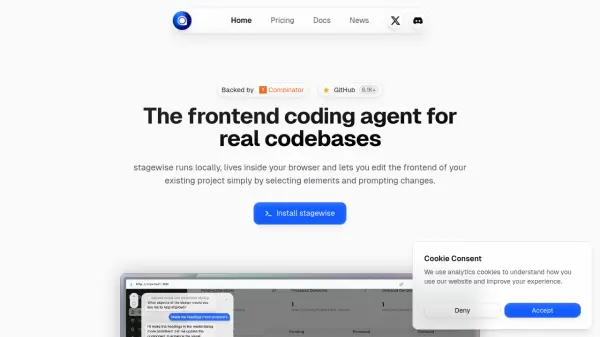
What is stagewise?
stagewise is an advanced AI-powered frontend coding agent designed to help developers edit and enhance the frontend of their existing projects directly within the browser. By running locally, it ensures both privacy and speed while supporting seamless integration with popular frameworks such as React, Vue, Angular, Tailwind, and Material-UI. Users can easily select interface elements and prompt changes, enabling a fluid workflow without switching between code editors.
Tailored to streamline all development phases, stagewise leverages AI to generate code, suggest UX improvements, and optimize designs while maintaining alignment with project-specific design systems and brand identities. With capabilities ranging from initial ideation to production-ready implementation, it accelerates UI/UX development and sustains consistency across the codebase.
Features
- Local Execution: Runs entirely on your machine for privacy and speed.
- Browser Integration: Edit frontend code directly within your browser.
- Prompt-Based Changes: Make UI modifications by selecting elements and prompting changes.
- Multi-Framework Support: Compatible with React, Vue, Angular, Tailwind, Material-UI, and more.
- AI Design Suggestions: Provides smart design improvements that align with your brand.
- Production-Ready Code: Generates clean, maintainable, and responsive code.
- Secure Architecture: Allows choice of model providers and prioritizes data security.
- Open Source: Built publicly with community collaboration.
Use Cases
- Accelerating frontend development in React and Vue projects.
- Implementing AI-driven UI improvements in existing web applications.
- Rapid prototyping of new features or design sections.
- Automating code generation for responsive and accessible layouts.
- Maintaining design consistency across large-scale frontend projects.
- Providing real-time feedback and suggestions for UX enhancements.
- Reducing context switching by working directly in the browser.
FAQs
-
What frameworks does stagewise support?
stagewise is compatible with a wide range of frameworks and UI libraries, including React, Vue, Angular, Tailwind, Bootstrap, Material-UI, and more. -
Does stagewise run locally or in the cloud?
stagewise operates entirely locally inside your browser, ensuring privacy and secure data handling. -
How does the pricing work for stagewise?
stagewise offers a freemium model with €5 of starting credits, after which a €20/month subscription includes monthly credits, and additional usage is charged per input/output token. -
Can I use my own AI model provider with stagewise?
Yes, stagewise allows you to use your own model providers for maximum flexibility and security.