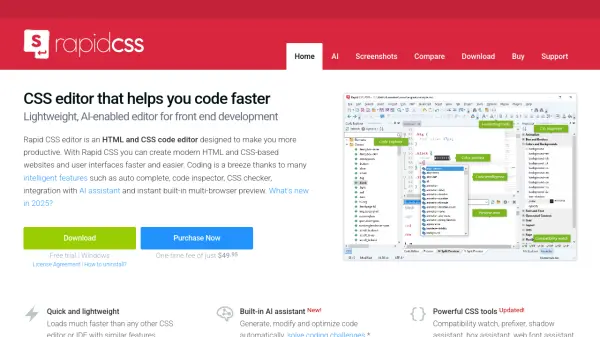
What is Rapid CSS Editor?
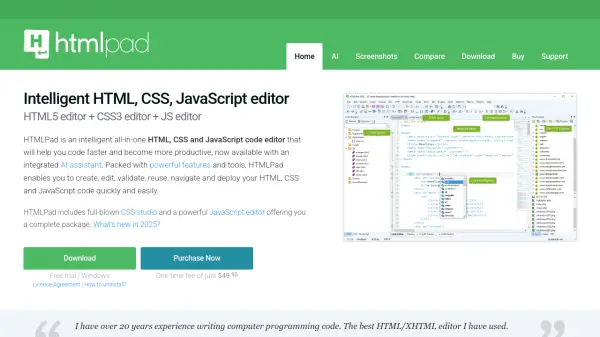
Rapid CSS Editor empowers both beginner and expert web developers with a fast, lightweight, and AI-integrated code editing platform specialized for HTML and CSS. Its built-in AI assistant, powered by leading models such as Claude Sonnet and OpenAI GPT, streamlines coding workflows by generating, modifying, and optimizing code directly within the editor, solving challenges efficiently and elevating code quality.
The tool features intelligent code completion, instant multi-browser previews, integrated validation, smart code reuse options, and direct FTP/SFTP editing, making it a productivity powerhouse. With support for modern web standards including HTML5, CSS3, SASS, and LESS, alongside advanced tools like a code snippet library and powerful color picker, Rapid CSS Editor serves as a comprehensive solution for building and maintaining cutting-edge websites.
Features
- AI-Powered Assistant: Generate, modify, and optimize code with leading AI models such as Claude Sonnet and OpenAI GPT.
- Smart Code Completion: Intelligent auto-complete and code suggestions for HTML, CSS, SASS, LESS, and more.
- Multi-Browser Preview: Instant built-in preview across multiple browsers and devices.
- Integrated Validation: Spell checker, CSS checker, and W3C HTML and CSS validation integrated into the editor.
- FTP/SFTP Editing: Edit files directly on web servers and publish updates with one click.
- Code Snippet Library: Store, manage, and quickly re-use code with assignable shortcuts.
- Advanced Color Picker: Project color management and design-friendly features.
- Modern Standards Support: Full compatibility with HTML5, CSS3, Bootstrap, Google Fonts, and mobile web development tools.
- Plugin Support: Extend functionality by adding custom plugins written in JScript.
- Crash Recovery: Automatic crash recovery and session restore for reliable development.
Use Cases
- Generating and optimizing HTML/CSS code with AI assistance.
- Accelerating front-end development for websites and user interfaces.
- Solving code challenges and obtaining solutions directly in the editor.
- Creating mobile-friendly web layouts with modern standards.
- Real-time preview and cross-browser testing of web projects.
- Directly editing and publishing website files via FTP/SFTP connections.
FAQs
-
What AI models are integrated in Rapid CSS Editor?
Rapid CSS Editor integrates AI assistants such as Claude Sonnet, OpenAI GPT, DeepSeek, and others. -
Can I preview my website in multiple browsers using this tool?
Yes, Rapid CSS Editor offers instant built-in preview across multiple browsers, including split-screen mode and screen-size testing. -
Is there a one-time purchase option?
Yes, Rapid CSS Editor is available for a one-time fee and does not require a monthly subscription. -
Which programming languages are supported apart from HTML and CSS?
The editor supports several languages including JavaScript, PHP, ASP, XML, SASS, LESS, Perl, and more.