MagiCode favicon

MagiCode
Clear Front-end tasks reliably with AI-powered code generation and testing

What is MagiCode?

MagiCode is an advanced AI-powered development assistant that streamlines the front-end development process. The platform combines code generation, review capabilities, and automated testing functionalities to enhance developer productivity.

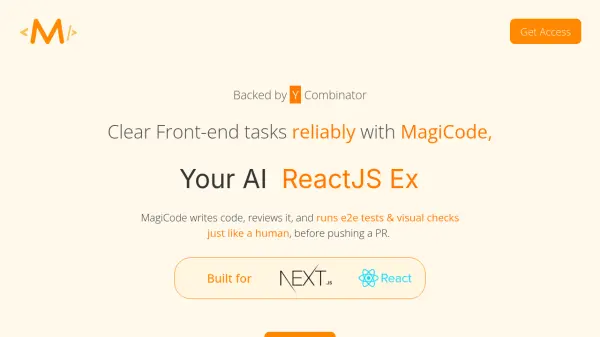
Backed by Y Combinator, MagiCode operates as a comprehensive solution that mimics human-like coding practices, performing end-to-end tests and visual checks before automatically creating pull requests. This ensures code quality and reliability throughout the development process.

Features

  • Code Generation: Automatically writes front-end code
  • Code Review: Performs comprehensive code analysis
  • Automated Testing: Runs end-to-end tests and visual checks
  • PR Creation: Automatically pushes validated code as pull requests
  • Interactive Development: Supports conversation-based coding assistance

Use Cases

  • Front-end development automation
  • Code quality assurance
  • Rapid prototyping
  • Development workflow optimization
  • Automated testing implementation

FAQs

  • How do the plan limits work?
    If you exceed your plan limit, you'll be prompted to upgrade. Plan changes can be made instantly without interrupting your work.
  • What is an interaction?
    An interaction represents one round of conversation or back-and-forth exchange with MagiCode.
  • Who owns the code generated in MagiCode?
    All code generated within MagiCode belongs to the user and can be used for any purpose, including commercial applications.


Related Queries

Helpful for people in the following professions

Related Tools:

Blogs:

  • Top 6 AI note-taking tools for 2026: in-person, online, and hybrid use cases

    Top 6 AI note-taking tools for 2026: in-person, online, and hybrid use cases

    Most AI note-taking lists are really lists of meeting bots, which join your video call and transcribe it. That's useful, but it's half the picture. Decisions happen in hallway conversations, client dinners, on-site visits, and hybrid rooms where nobody is on a video link. This guide covers different parts of the note-taking workflow: hardware capture for in-person settings, platform-native tools for online calls, and AI layers for organizing and synthesizing what you've captured. It compares six tools by capture context, workflow fit, pricing, and limitations.

  • Best AI tools for trip planning

    Best AI tools for trip planning

    These tools analyze user preferences, budget constraints, and destination details to provide personalized itineraries, suggest optimal routes, recommend accommodations, and even offer real-time updates on weather and local events.

  • AI tools for video voice overs

    AI tools for video voice overs

    Discover the next level of video production with AI-powered voiceover tools. Enhance your content effortlessly, ensuring professional-quality narration for your videos.

Didn't find tool you were looking for?

Be as detailed as possible for better results