What is Stacklist?
Stacklist offers a streamlined approach to managing online discoveries, acting as a central hub for saving various types of content encountered across the web. Users can easily capture links, articles, products, locations, videos, and more using browser extensions (Chrome, Firefox, Edge) or dedicated mobile applications for iOS and Android. This ensures that valuable finds are securely stored and accessible from any device, eliminating the need to search through scattered bookmarks or notes.
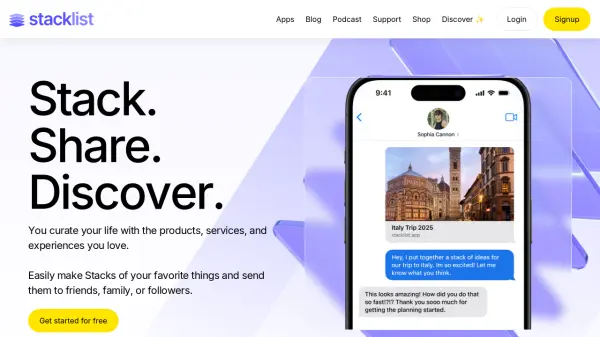
The platform enhances organization by allowing users to group saved items, referred to as 'cards', into curated collections called 'Stacks'. Personal notes and tags can be added for better context and recall. Finding saved content is simplified through an AI-assisted search feature, functioning like a personal search engine for one's curated library. Furthermore, Stacklist facilitates easy sharing of individual Stacks or entire user profiles with friends, family, or followers, who can browse the curated content without needing an account.
Features
- AI-Assisted Search: Find saved items effortlessly using Ambient Intelligence (AI) search.
- Cross-Device Access: Save and access bookmarks via browser extensions (Chrome, Firefox, Edge) and mobile apps (iOS, Android).
- Stack Creation: Group saved items (cards) into curated lists (Stacks) for organization and sharing.
- Versatile Content Saving: Bookmark diverse content types like articles, products, locations, videos, books, and more.
- Notes and Tagging: Add personal notes and tags to saved items for enhanced context.
- Easy Sharing: Share individual Stacks or entire profiles with others, even non-account holders.
Use Cases
- Creating personal link libraries for easy recall.
- Sharing curated lists of recommendations (e.g., travel, restaurants, books).
- Building and sharing wishlists for holidays or birthdays.
- Organizing research materials and project ideas.
- Consolidating favorite online content (videos, articles, music) in one accessible place.
- Bookmarking interesting products, recipes, or home decor ideas.
- Saving and organizing locations from Google Maps.