What is Spyrix?
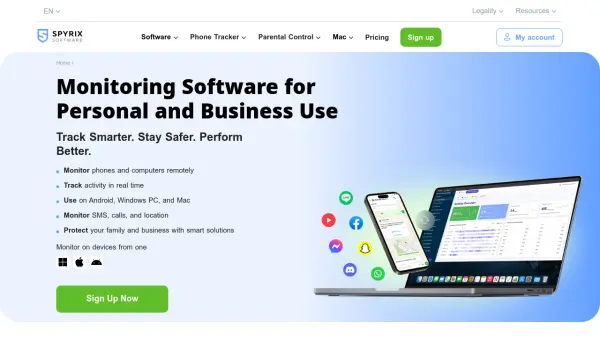
Spyrix provides an all-in-one monitoring solution designed for both personal and business applications. The software enables users to remotely track activity on phones and computers, offering features such as live screen viewing, GPS location tracking, and monitoring of various applications including social media platforms and messaging services.
With capabilities like screenshot capturing, keylogging, and detailed reporting, Spyrix transforms device activity into actionable insights. The platform supports parental control functions to protect children online and employee monitoring tools to enhance workplace productivity and security.
Features
- Live Screen Viewing: Watch real-time screen activity remotely
- GPS Location Tracking: Monitor device locations with instant updates
- Application Monitoring: Track usage of social media and messaging apps
- Keylogger Functionality: Record keyboard inputs and typed text
- Detailed Reporting: Generate comprehensive activity summaries and alerts
Use Cases
- Parental control and child safety monitoring
- Employee productivity and activity tracking
- Business workflow optimization and inefficiency detection
- Remote team management and oversight
- Digital security and compliance enforcement
FAQs
-
Is Spyrix compatible with Mac computers?
Yes, Spyrix offers monitoring software compatible with Mac systems. -
Does Spyrix include GPS tracking features?
Yes, Spyrix provides GPS-based device location tracking. -
Can Spyrix monitor social media applications?
Yes, Spyrix can track activity on various social media and messaging platforms. -
Is it legal to use Spyrix monitoring software?
Users must check local laws and may need to notify monitored individuals, as unauthorized use can be illegal. -
Does Spyrix offer a free trial?
Yes, Spyrix provides a free trial option for users.