What is SPFToolbox?
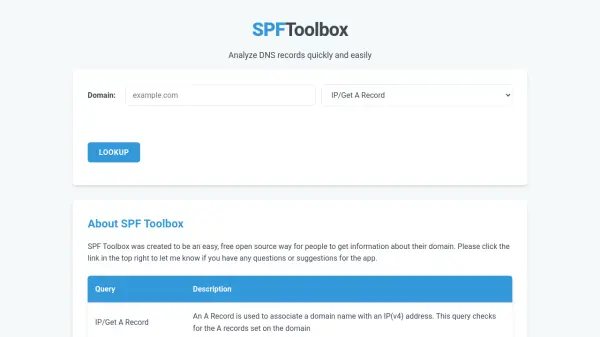
SPFToolbox is a free, open-source tool designed to provide users with comprehensive DNS record analysis for their domains. It enables quick and easy access to various DNS queries, helping users verify configurations and troubleshoot issues related to domain management.
The tool supports multiple DNS record types, including A, AAAA, MX, SPF/TXT, and DMARC records, along with features like blacklist checking, WHOIS lookup, port checking, hardware information retrieval, and reverse DNS lookups. It aims to simplify domain administration by offering a centralized platform for essential DNS diagnostics.
Features
- DNS Record Analysis: Supports queries for A, AAAA, MX, SPF/TXT, and DMARC records to verify domain configurations
- Blacklist Check: Checks if a domain is listed on well-known email blacklist sites to identify potential issues
- WHOIS Lookup: Retrieves ownership information for domains to help with identification and management
- Port Checking: Verifies if specified ports on domains or IP addresses are open for hosting or other uses
- Hardware Information Retrieval: Gets server hardware details for specified hostnames when available
- Reverse DNS Lookup: Attempts to find hostnames associated with IP addresses for network diagnostics
Use Cases
- Verifying DNS configurations for domain setup and maintenance
- Checking email authentication records like SPF and DMARC to prevent spoofing
- Monitoring domains for blacklist status to ensure email deliverability
- Troubleshooting network issues by analyzing port openness and hardware information
- Conducting WHOIS lookups to identify domain ownership and contact details