Speakdocs favicon

Speakdocs
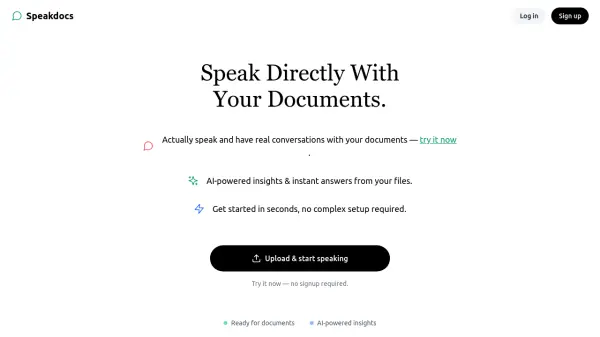
Speak Directly With Your Documents.

What is Speakdocs?

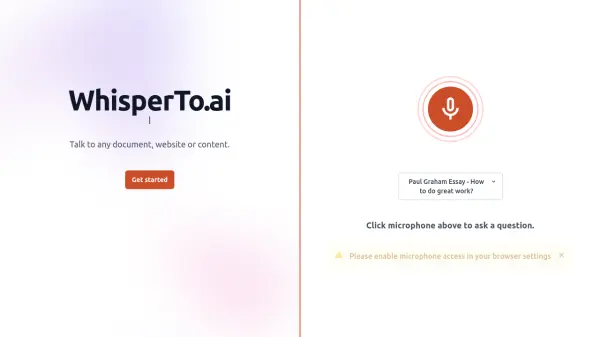
Speakdocs allows users to interact directly with their documents through voice conversations. This tool leverages artificial intelligence to provide insights and extract answers from uploaded files.

The platform is designed for easy use, offering a quick setup with no signup required initially. Users can upload documents and immediately begin interacting with them, benefiting from AI-driven analysis and straightforward pricing plans.

Features

  • Document Upload: Users can upload documents to the platform.
  • Voice Conversations: Engage in spoken conversations with uploaded documents.
  • AI-Powered Insights: Gain insights and answers extracted by AI from the documents.
  • Voice Notes: Record and use voice notes within the platform.
  • Multiple Plans: Free Trial, Plus, and Pro plans available catering to different user needs.

Use Cases

  • Quickly get answers from lengthy reports.
  • Extract key information from research papers.
  • Analyze contracts and legal documents.
  • Summarize meeting notes and transcripts.
  • Gather insights from various file types.

Related Tools:

Blogs:

  • Best Content Automation AI tools

    Best Content Automation AI tools

    Streamline your content creation process, enhance productivity, and elevate the quality of your output effortlessly. Harness the power of cutting-edge automation technology for unparalleled results

  • Top 6 AI note-taking tools for 2026: in-person, online, and hybrid use cases

    Top 6 AI note-taking tools for 2026: in-person, online, and hybrid use cases

    Most AI note-taking lists are really lists of meeting bots, which join your video call and transcribe it. That's useful, but it's half the picture. Decisions happen in hallway conversations, client dinners, on-site visits, and hybrid rooms where nobody is on a video link. This guide covers different parts of the note-taking workflow: hardware capture for in-person settings, platform-native tools for online calls, and AI layers for organizing and synthesizing what you've captured. It compares six tools by capture context, workflow fit, pricing, and limitations.

Didn't find tool you were looking for?

Be as detailed as possible for better results