What is Softdiv Shareware?
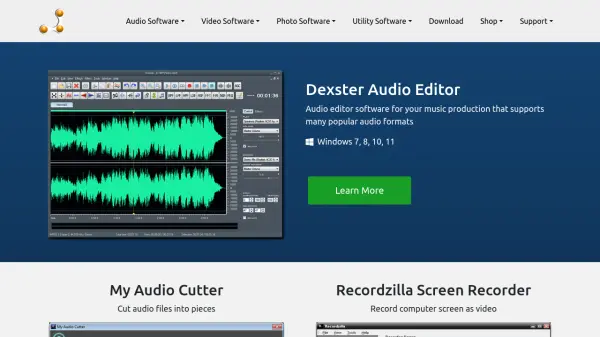
Softdiv Shareware provides a range of software applications tailored for various multimedia and utility tasks. The platform includes audio tools such as Dexster Audio Editor for music production and My Audio Cutter for splitting audio files, video software like Recordzilla Screen Recorder for screen capture and Videozilla Video Converter for format conversion, photo applications including MyPhotoSweeper for photo management and Photopus Pro for editing, and utility programs such as RoboOCR for optical character recognition and Easy Duplicate Cleaner for file organization.
These tools support popular formats and are compatible with Windows operating systems from Windows 7 to Windows 11, offering users reliable and user-friendly solutions for their digital content needs. The software is available for purchase with options for upgrades and special offers, backed by customer support through contact, forums, and tutorials.
Features
- Audio Editing: Dexster Audio Editor supports multiple audio formats for music production
- Screen Recording: Recordzilla Screen Recorder captures computer screen as video
- OCR Functionality: RoboOCR extracts text from images, PDFs, videos, and other documents
- Photo Management: MyPhotoSweeper helps organize and clean up photo collections
- Audio Cutting: My Audio Cutter splits audio files into smaller segments
- Video Conversion: Videozilla Video Converter converts video files between formats
- Duplicate Cleaning: Easy Duplicate Cleaner identifies and removes duplicate files
- PDF Processing: Softdiv PDF Split and Merger handles PDF file manipulation
Use Cases
- Editing audio tracks for music production or podcasts
- Recording tutorial videos or software demonstrations
- Extracting text from scanned documents or screenshots
- Organizing and deduplicating photo libraries
- Converting video files for different devices or platforms
- Splitting large audio files into manageable clips
- Managing PDF documents by splitting or merging pages
- Cleaning up duplicate files to free up storage space