What is Snap View?
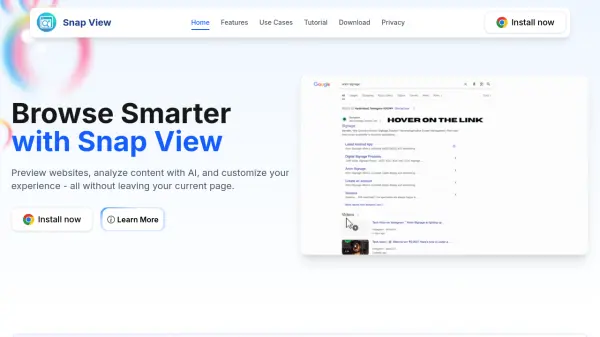
Snap View is a browser extension designed to simplify and enhance your web browsing by allowing users to preview websites, analyze content with AI, and personalize their experience without ever leaving the current page. The tool helps users reduce tab clutter, improve focus, and remain organized while navigating vast amounts of online information.
Snap View offers AI-powered content analysis including instant article summarization, content-based Q&A, translation, and explanation of complex topics. Its customization options, such as beautiful themes, transparency control, and custom color schemes, let users tailor their browsing environment for comfort and productivity. All these features are accessible through a user-friendly, mini-browser interface that appears as soon as you drag a link.
Features
- In-Page Website Preview: Preview websites by dragging links without leaving the current page
- AI Content Analysis: Instantly analyze and extract value from any web content
- Instant Summarization: Get concise summaries of articles or web pages
- Content-Based Q&A: Ask questions and receive immediate AI-driven answers based on the content
- Translation & Explanation: Translate content or get simplified explanations of complex topics
- Customization: Choose themes, adjust transparency, and select custom colors
- Content Copying: Quickly copy web content for reuse
- Privacy Focused: Designed with user privacy in mind
Use Cases
- Previewing linked websites without opening new tabs
- Summarizing lengthy articles for quick understanding
- Asking specific questions about a web page’s content
- Translating website content into preferred languages
- Customizing the browser interface for visual comfort
- Copying key information for research or note-taking
FAQs
-
How does Snap View preview websites?
Snap View uses a mini-browser interface that appears when users drag a link, allowing them to preview websites without leaving their current page. -
What AI features are included in Snap View?
Snap View includes AI-powered tools for instant content summarization, content-based Q&A, translation, and simplified explanations. -
Can I customize the appearance of Snap View?
Yes, Snap View offers a range of themes, transparency controls, and a color picker for personalizing the interface.