What is Smart Search & Web Browser?
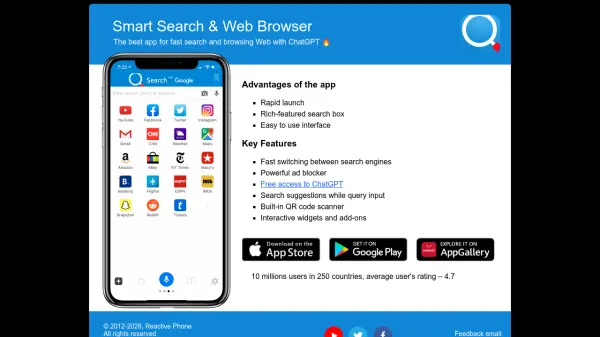
Smart Search & Web Browser is a comprehensive application designed to optimize web browsing and search functionality. It integrates AI capabilities through free access to ChatGPT, enabling users to perform intelligent queries and receive AI-assisted responses directly within the browser interface. The app features a rapid launch system and an easy-to-use interface, ensuring efficient navigation and productivity.
With powerful tools like an ad blocker, search suggestions during query input, and a built-in QR code scanner, it enhances user convenience and security. The app supports fast switching between search engines and includes interactive widgets and add-ons for customization. Trusted by millions of users globally, it delivers a reliable and feature-rich browsing experience.
Features
- Fast Switching Between Search Engines: Allows quick changes between different search engines for versatile searching
- Powerful Ad Blocker: Blocks ads to improve browsing speed and reduce distractions
- Free Access to ChatGPT: Provides AI-powered query assistance and responses within the browser
- Search Suggestions While Query Input: Offers real-time suggestions as users type search queries
- Built-in QR Code Scanner: Enables scanning of QR codes directly from the app
- Interactive Widgets and Add-ons: Customizable tools and extensions for enhanced functionality
Use Cases
- Performing AI-assisted web searches using ChatGPT
- Browsing the web with ad-free and fast-loading pages
- Switching between search engines for comprehensive research
- Scanning QR codes for quick access to online content
- Customizing browser experience with widgets and add-ons