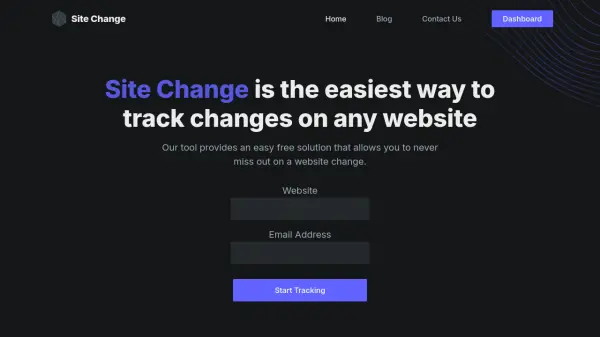
What is Site Change?
Site Change provides a reliable solution for tracking website modifications through smart detection algorithms. The tool monitors specified web pages and sends immediate email alerts when changes occur, accompanied by visual snapshots that highlight differences. It features a user-friendly dashboard for managing tracked sites and offers customizable notification frequencies.
Built on robust infrastructure with 99.9% uptime, the service supports various use cases from personal monitoring to business intelligence. Users simply input a website URL and email address to start receiving notifications, with no complex configuration required. The platform includes visual tracking capabilities to ensure changes are easily identifiable through image-based alerts.
Features
- Smart Detection Algorithms: Automatically identifies website changes without manual configuration
- Visual Tracking: Sends image snapshots highlighting changes for easy identification
- Instant Email Notifications: Delivers alerts immediately when changes are detected
- Customizable Dashboard: Allows users to manage and monitor all tracked websites in one place
- High Reliability: Built on Amazon-powered infrastructure with 99.9% uptime guarantee
- Multiple Pricing Tiers: Offers plans from free to enterprise with varying page limits and check frequencies
Use Cases
- Monitoring competitor websites for price changes and updates
- Tracking news websites for new articles and content updates
- Following educational websites for assignment postings and schedule changes
- Monitoring personal or business websites for unauthorized modifications
- Keeping track of product availability on e-commerce sites
- Watching for updates on government or regulatory websites
FAQs
-
How does Site Change detect website changes?
Site Change uses smart detection algorithms to automatically identify modifications on tracked websites, comparing current content with previous versions to spot differences. -
What types of notifications does Site Change provide?
Site Change sends instant email notifications when changes are detected, including visual snapshots that highlight what has been modified on the webpage. -
How many websites can I track with the free plan?
The free Starter plan allows you to track up to 2 websites with checks up to 2 pages per day, which equals approximately 64 checks per month. -
What is the difference between the Premium and Premium+ plans?
The Premium plan offers checks up to 25 pages per day with hourly checks, while Premium+ provides checks up to 50 pages per day with half-hour checks for more frequent monitoring. -
Can I customize how often Site Change checks for updates?
Yes, different plans offer varying check frequencies from daily checks in the free plan to 5-minute checks in the Enterprise+ plan, allowing you to choose based on your monitoring needs.