What is Shotomatic?
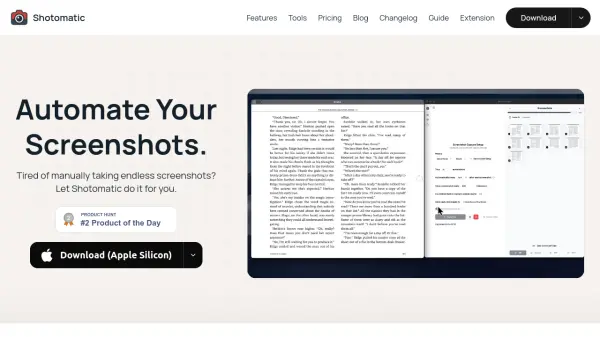
Shotomatic is a macOS screenshot automation tool that enables hands-free capture of screens, windows, or custom areas. It offers timed interval capture, keypress automation, and the ability to archive content from e-books, webcomics, and any app. Users can also create step-by-step guides from clicks, capture website screenshots from URL lists, and export timelapse videos. The tool supports multiple export formats including JPG, PNG, PDF, ZIP, and MP4.
Features
- Hands-Free Capture: Set an interval and let Shotomatic grab your screen while you focus on work.
- Timed Screenshot Capture: Pick any interval for automatic screenshot capture without pressing anything.
- Keypress Automation: Simulate keystrokes between shots for advanced workflows.
- Flexible Capture Area: Capture the entire screen, a specific window, or a custom area.
- Archive Any Content: Capture e-books, mangas, and content from any app with simple configuration.
- Create Step-by-Step Guides: Click through a task once to generate an ordered, editable guide.
- Website Screenshot Automation: Capture a list of URLs with per-URL options for viewport, timing, and format.
- Timelapse Video Creation: Transform screenshot sessions into MP4 timelapse videos.
Use Cases
- Documenting software workflows for tutorials or guides
- Archiving e-books and webcomics for offline reading
- Capturing website screenshots for audits and reports
- Creating step-by-step visual instructions for clients
- Recording productivity sessions as timelapse videos
- Automating repetitive screenshot tasks for documentation
FAQs
-
How many Macs can I use with one purchase?
Shotomatic Pro allows up to 3 macOS devices per license. -
Do my screenshots get uploaded anywhere?
No, your screenshots are captured locally and are not uploaded to any cloud service. -
Does Shotomatic work on Windows or Linux?
Shotomatic is currently available only for macOS. -
What's the difference between macros and normal capture?
Macros (Action Capture) record your clicks to create step-by-step guides, while normal capture simply takes screenshots at set intervals. -
Can I get a refund if Pro isn't for me?
Yes, Shotomatic offers a 14-day money-back guarantee.