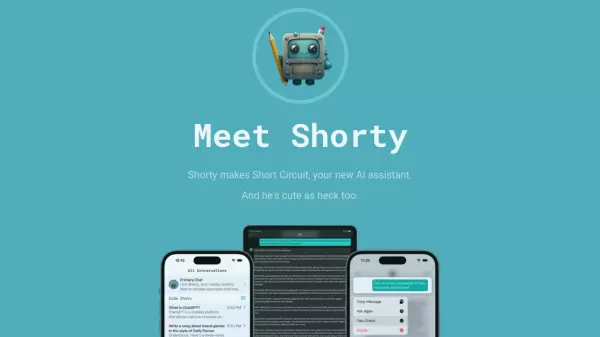

What is Short Circuit?
Short Circuit is a sophisticated AI assistant application that brings the power of ChatGPT and GPT-4 to Apple devices, offering seamless integration across iPhone, iPad, and Mac platforms. The application stands out with its customizable AI personalities, allowing users to interact with specialized personas ranging from tour guides to technical experts.
What sets Short Circuit apart is its deep integration with Siri, built-in fact-checking capabilities, and strong privacy commitment that prevents data from being used for model training. The platform offers both subscription-based access and a lifetime unlock option with personal OpenAI token support.
Features
- Cross-Platform Compatibility: Available on iPhone, iPad, and Mac
- Customizable AI Personalities: Create specialized personas for different purposes
- Siri Integration: Voice command access through 'Ask Shorty' command
- Built-in Fact Checking: Secondary verification of AI responses
- Privacy Protection: No data used for OpenAI model training
- Flexible Payment Options: Subscription or lifetime unlock available
- OpenAI Token Support: Use personal OpenAI API keys
Use Cases
- Getting quick answers through Siri integration
- Learning from specialized AI tutors
- Technical consultations with expert personas
- Travel planning with AI tour guide personas
- Building automated workflows with Shortcuts integration
- Fact-checking and verification of information
FAQs
-
How do I set up my OpenAI key for the lifetime unlock?
Press the Sign In With OpenAI button, create a new secret key, copy it, and paste it in the OpenAI API Key field. -
Is my conversation data private?
Yes, Short Circuit takes privacy seriously and explicitly prevents OpenAI from using your conversations to train their models. -
Can I use Siri with Short Circuit?
Yes, you can activate Short Circuit through Siri by saying 'Ask Shorty' followed by your question.