What is Sheet Rocket?
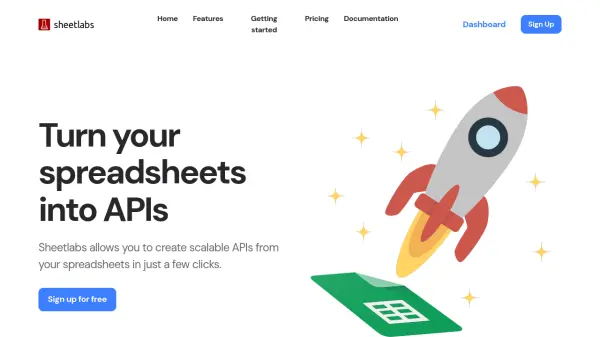
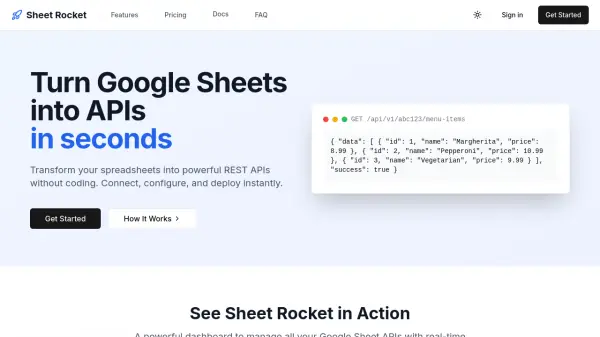
Sheet Rocket is an AI-powered platform that converts Google Sheets into fully functional REST APIs without requiring any coding knowledge. Users can simply paste their Google Sheets URL, configure API access with toggle switches for operations like GET, POST, PUT, and DELETE, and instantly receive a unique API endpoint. The tool provides real-time updates, smart caching, and detailed usage analytics to optimize performance and monitor API activity.
With enterprise-grade security features including API key authentication, IP whitelisting, and CORS protection, Sheet Rocket ensures data safety while offering lightning-fast setup. It supports various data operations and formats, making it ideal for prototypes, MVPs, and commercial projects, all accessible through a user-friendly dashboard with real-time analytics and management capabilities.
Features
- Instant Setup: Create APIs from Google Sheets in under 30 seconds with no technical knowledge required
- Powerful Analytics: Track usage patterns and monitor performance with detailed insights and real-time data
- Enterprise Security: Built-in security features including API key authentication, IP whitelist, and CORS protection
- Fast REST API: Perform create, read, update, and delete operations with support for multiple data formats
- Real-time Updates: Changes to sheets are instantly reflected in API responses for up-to-date data access
Use Cases
- Prototyping and MVP development for startups and developers
- Creating data APIs for small businesses without coding resources
- Building internal tools for organizations using spreadsheet data
- Integrating Google Sheets data with other applications and services
- Managing product catalogs or inventory systems through APIs
FAQs
-
What types of HTTP methods does Sheet Rocket support for API operations?
Sheet Rocket supports GET for fetching data, POST for adding new rows, PUT for updating entire rows, PATCH for updating specific cells, and DELETE for removing rows from sheets. -
How does Sheet Rocket handle data security and authentication?
Sheet Rocket uses industry-standard encryption and OAuth 2.0 for authentication, with features like API key authentication, IP whitelisting, and CORS protection to keep data secure. -
Can users customize their API endpoints and rate limits with Sheet Rocket?
Yes, users can customize API slugs, choose which HTTP methods are allowed, and set up rate limiting according to their needs through the configuration settings. -
What happens if a user exceeds their plan's API request limits?
Sheet Rocket notifies users when approaching limits, and if exceeded, the API returns a rate limit error until the next billing cycle or after upgrading the plan. -
Is Sheet Rocket suitable for commercial projects and what plans support this?
Yes, Sheet Rocket is suitable for commercial projects, with the Business plan specifically designed for commercial use offering higher limits and priority support.