What is SenseTask?
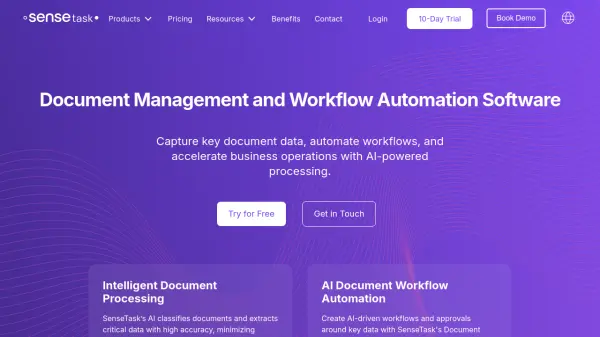
SenseTask is a comprehensive document management and workflow automation platform powered by artificial intelligence. It efficiently classifies documents and extracts critical data with high accuracy, significantly reducing manual effort and errors. This allows businesses to process documents faster and maintain focus on core activities.
Beyond data extraction, SenseTask enables the creation of AI-driven workflows and approval processes. By organizing documents into dedicated folders and customizing processing steps, organizations can ensure seamless and efficient document handling. The platform integrates with various applications and offers features for document reconciliation, validation, and reporting, further optimizing business operations.
Features
- AI Data Extraction and Document Classification: Automatically categorizes and organizes documents by type, ensuring accurate extraction of key data.
- Customizable Field Extraction: Specify and add custom fields tailored to your document needs.
- AI-powered Classification and Data Extraction: Automatically categorize and organize documents by type, ensuring accurate data extraction.
- Efficient Validation: Streamlines the review of extracted data.
- Smart Data Association: Links document fields with external data sources like ERP or CRM platforms.
- Document Workflow Automation and Approval Management: Set up automatic document uploads, AI-driven classification, and custom processing rules.
- Automated Upload Rules: Configure automatic document intake from email or API.
- Custom Processing Steps: Define specific operational logic based on key data.
- AI-Driven Workflows and Approvals: Create multi-level workflows and automate approvals.
- Advanced Automation Rules: Implement rules to flag only documents requiring manual validation.
- Business Process Automation: Simplify accounting or inventory management tasks.
- AI-Powered Document Reconciliation & Validation: Streamline workflows by linking documents to external systems.
- Invoice and e-Invoice Management: Extract, process, convert and streamline invoice approvals.
- Create Reports Effortlessly: Quickly generate professional reports from extracted data.
- Broad Integration: Integrate with applications like Sharepoint, Microsoft Business Central, QuickBooks and Xero.
Use Cases
- Invoice processing
- Contract processing
- Purchase order automation
- Receipt processing
- E-invoice processing
- Document management
- Workflow automation
- Data extraction and validation
FAQs
-
Is there a free trial?
Yes, the Starter plan offers a 10-day free trial to explore SenseTask’s capabilities. -
Can I use SenseTask for different types of documents?
Yes, SenseTask supports various document types, including invoices, receipts, or forms, making it versatile for different processing needs. -
How are pages counted?
Each page processed counts toward your monthly page limit, with each page in multipage documents counted individually (1 file with 3 pages will count as 3 pages). -
What is a workflow?
A workflow in SenseTask is a grouping of documents of the same type (invoices, purchase orders, receipts etc.) with dedicated processing settings, covering steps from import and approvals to final export. -
What is a workspace?
A workspace is a virtual area in SenseTask used for organizing documents with tailored access and visibility rules, ideal for organizing departments or teams within an organization.