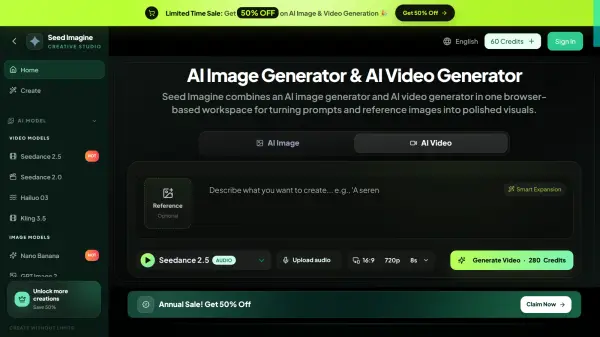
What is Seed Imagine?
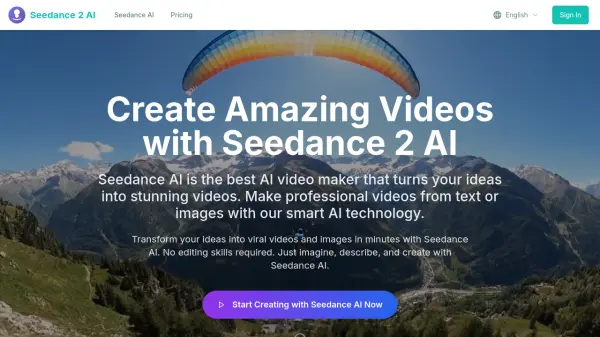
Seed Imagine is an all-in-one browser-based AI creative platform that enables users to generate high-quality images and videos directly from text prompts or reference images. Supporting multiple leading AI models including Seedance 2.5, Veo 3.1, Gemini Omni Flash, and GPT Image 2, the platform gives creators the flexibility to compare model quality, speed, style, and cost within a single workspace. With support for text-to-image, image-to-image, text-to-video, and image-to-video workflows, Seed Imagine covers a wide range of creative output formats, from product photography and character design to cinematic short clips and social media content.
Beyond generation, Seed Imagine includes AI image editing tools that allow users to remove objects, extend backgrounds, combine elements, and refine details on a built-in canvas. Additional capabilities such as background removal, batch image processing, virtual try-on, and photo restoration make it a comprehensive solution for e-commerce designers, content creators, filmmakers, and marketing professionals. The platform requires no technical or design skills, operates entirely in the browser on both desktop and mobile, and delivers downloadable outputs in standard image and video formats.
Features
- Multiple AI Models: Choose from Seedance 2.5, Veo 3.1, Gemini Omni Flash, GPT Image 2, and more in one workspace.
- Text-to-Image Generation: Create product photos, illustrations, concept art, and cinematic compositions from text prompts.
- Text-to-Video & Image-to-Video: Generate short video clips from descriptions or animate a still image with guided prompts.
- AI Image Editing: Remove objects, extend backgrounds, restyle images, and refine details on a built-in canvas.
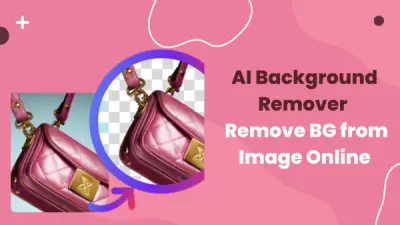
- Background Removal: Instantly remove image backgrounds to produce clean visuals ready for stores and campaigns.
- Batch Processing: Edit multiple images simultaneously with consistent settings for product catalogs and marketplace listings.
- AI Virtual Try-On: Preview different outfits on a person while maintaining consistent appearance without a new photo shoot.
- Photo Restoration & Colorization: Restore faded or black-and-white photos with sharper details and natural color.
- Flexible Output Controls: Set aspect ratio, resolution, video duration, and reference inputs for each project.
- No-Code Interface: Generate professional visuals using plain English descriptions with no design or technical skills required.
Use Cases
- Creating AI-generated product photography for e-commerce stores and marketplace listings
- Generating short cinematic video clips from text descriptions for marketing campaigns
- Animating still images into motion video content for social media
- Designing character concepts, 3D figures, and style variations for games or animation
- Restoring and colorizing old or faded photographs for digital preservation
- Removing image backgrounds for clean product visuals and catalog imagery
- Batch editing product images to maintain consistency across online stores
- Previewing fashion outfits on models with AI virtual try-on for e-commerce
- Rapid prototyping of campaign concepts and creative directions without a large team
- Producing social media content across multiple formats from a single workspace
How It Works
Describe Your Idea
Start with a text prompt or upload a reference image. Describe the subject, style, mood, or motion you want to create in plain English.
Choose Image or Video
Select the AI image generator for still visuals or the AI video generator for motion content. Pick a model, aspect ratio, and output settings that fit your project.
Generate, Refine, and Download
Let Seed Imagine create your image or video, review the result, refine your prompt or settings, generate another version if needed, and download the finished file.
FAQs
-
Can I try Seed Imagine for free?
Yes. Seed Imagine offers free daily credits so you can start generating images and videos without a paid plan. Credit usage depends on the selected model, output settings, and content type. -
What AI models are available on Seed Imagine?
Seed Imagine supports multiple AI models including Seedance 2.5, Seedance 2.0, Veo 3.1, Gemini Omni Flash, Happy Horse 1.0, and GPT Image 2, all accessible within a single workspace. -
What generation modes does Seed Imagine support?
Seed Imagine supports text-to-image, image-to-image, text-to-video, and image-to-video workflows. Available options may vary depending on the selected model. -
What file formats can I download from Seed Imagine?
Images can be downloaded as PNG or JPEG at high resolution. Videos are available in standard formats ready for sharing. -
Do unused credits carry over to the next month?
Credits from one-time packs never expire. Details on whether monthly subscription credits carry over can be confirmed by contacting support at [email protected].