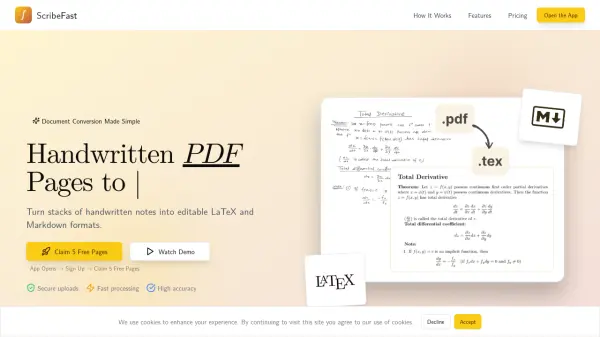
What is ScribeFast?
ScribeFast offers a streamlined solution for transforming handwritten notes from PDF documents into editable digital formats. It leverages advanced AI to accurately interpret handwriting, including complex elements like mathematical equations and tables. This service is designed for users who need to digitize their handwritten work efficiently, whether for academic, professional, or personal use.
The platform supports multi-page documents and processes them quickly due to parallel processing capabilities. Users can upload their handwritten PDFs and receive the converted content in either LaTeX or Markdown, making it ready for use in various editors or publishing platforms. It also handles multi-column layouts, preserving the correct reading order.
Features
- Equation Support: Accurately translates complex mathematical equations into LaTeX format.
- Table Recognition: Converts handwritten tables into structured Markdown or LaTeX tables.
- Built for Multiple Pages: Handles multiple pages with ease thanks to parallel processing.
- Lightning Fast: Pages are processed in parallel for lightning-fast document conversion.
- Multi-Column Support: Accurately processes double column documents while maintaining proper reading order.
Use Cases
- Digitizing handwritten academic notes and research papers.
- Converting handwritten mathematical equations into LaTeX for publications.
- Transforming handwritten meeting minutes or lecture notes into editable text.
- Archiving handwritten journals or personal notes in a digital, searchable format.
- Converting handwritten tables into structured data for analysis or documentation.
FAQs
-
Are my uploaded documents kept secure?
Yes, ScribeFast emphasizes security with secure uploads and processing to protect your document's privacy. -
How does ScribeFast's pricing work after the free trial?
After your initial 5 free pages, you can purchase page credits, such as 200 pages for €5. This is a one-time payment for a set number of pages, with no recurring subscriptions or expiration dates for the purchased pages. -
What makes ScribeFast suitable for documents with equations or tables?
ScribeFast's AI is specifically trained for high accuracy in recognizing and translating complex mathematical equations into LaTeX and handwritten tables into structured Markdown or LaTeX formats. -
Can ScribeFast handle large or multi-column documents?
Yes, ScribeFast is designed to process multiple pages efficiently using parallel processing and can accurately interpret multi-column layouts, maintaining the correct reading order.