

What is ScreenSnapAI?
This macOS tool enhances productivity by enabling users to interact with AI regarding any content displayed on their screen. It functions as a seamless extension to the macOS environment, ensuring quick access to AI-powered insights.
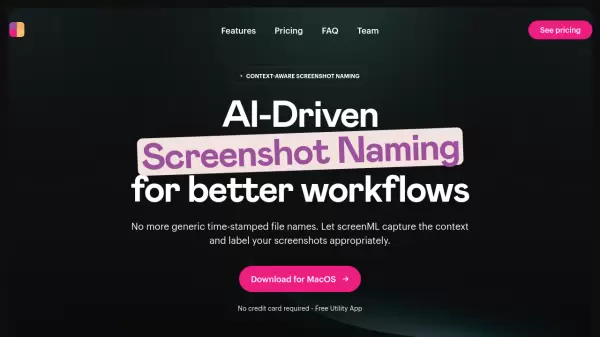
The application automatically names and tags screenshots and chats, promoting efficient organization. It's designed for optimal performance on Mac Intel & Apple M1/M2/M3 with macOS 13+.
Features
- Instant Popup Chat: Initiate an AI chat about anything visible on your screen.
- App Integration: Operates seamlessly without needing to switch applications.
- Native macOS Experience: Designed to feel like an integral part of macOS.
- Automated Organization: Automatically names and tags screenshots and chats.
- API Usage Options: Offers flexible options, you can use your OpenAI API key or built-in requests.
Use Cases
- Quickly checking text for correctness.
- Getting inspiration for design projects.
- Obtaining information about on-screen content without switching applications.
- Efficiently organizing screenshots and related AI chats.
FAQs
-
Can I bring my own OpenAI API key?
Yes! For this you will want to download the non-Mac App Store version. You can set your OpenAI API key in the ScreenSnapAI Settings. -
What about privacy? Do you store my screen captures?
No. Screencaptures are only stored locally on your Mac and passed to OpenAI for processing. For the non-Mac App Store version you can bring your own API key and the AI processing is done by sending screenshots directly to the OpenAI API.For the Mac App Store version AI processing is done by sending screenshots to our servers which then forward the request to the OpenAI API so we can track API usage for billing purposes.This is done as app store rules currently do not allow us to let users bring their own API key. We do not store your screen captures on our servers and we do not have access to your screen captures. We will never store your screen captures on our servers or do anything with them other than send them directly to an AI API for processing.The most secure option is to use the non-Mac App Store version and bring your own OpenAI API key as then our servers are not involved in the AI processing at all. We have a detailed privacy policy here. -
What are the differences between the Mac App Store and non-Mac App Store versions of ScreenSnapAI?
The non-Mac App Store version requires that you provide your own OpenAI API key whereas the Mac App Store version handles OpenAI API access and billing automatically for you.We recommend the Mac App Store version as an easy way to get started with ScreenSnapAI if you don't have an OpenAI API key or don't know what this is.More advanced users may prefer the non-Mac App Store version.