SaaS Prompts favicon

SaaS Prompts
Discover ChatGPT Prompts for Your SaaS Product

What is SaaS Prompts?

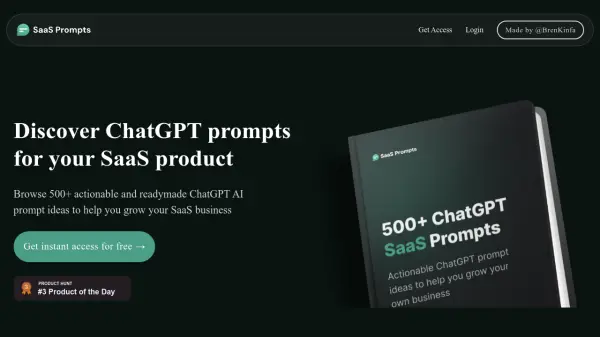
SaaS Prompts is a comprehensive resource providing over 500 actionable ChatGPT prompts tailored for SaaS businesses. This project aims to facilitate learning and implementation of AI-driven strategies without any cost.

Unlike other resources that charge for access, SaaS Prompts offers its entire collection completely free. It provides immediate and unrestricted access to a valuable set of prompts designed to enhance various aspects of a SaaS product.

Features

  • Free Access: No hidden or monthly fees.
  • Curated Prompts: Over 500 actionable ChatGPT prompts.
  • Instant Access: Immediate availability to the prompt collection.

Use Cases

  • Improving customer engagement strategies.
  • Generating marketing content.
  • Streamlining customer support.
  • Enhancing product development.
  • Automating routine business tasks.
Related Tools:

Blogs:

  • Best AI tools for Product Photography

    Best AI tools for Product Photography

    Explore top AI tools that can elevate your product photography, helping you enhance images, streamline workflows, and create professional visuals with ease.

  • Best AI tools for Lawyers

    Best AI tools for Lawyers

    streamline legal processes, enhance research capabilities, and improve overall efficiency in the legal profession.

  • Top AI tools for Teachers

    Top AI tools for Teachers

    Explore the top AI tools designed for teachers, revolutionizing the education landscape. These innovative tools leverage artificial intelligence to enhance teaching efficiency, personalize learning experiences, automate administrative tasks, and provide valuable insights, empowering educators to create engaging and effective educational environments.

  • Top 6 AI note-taking tools for 2026: in-person, online, and hybrid use cases

    Top 6 AI note-taking tools for 2026: in-person, online, and hybrid use cases

    Most AI note-taking lists are really lists of meeting bots, which join your video call and transcribe it. That's useful, but it's half the picture. Decisions happen in hallway conversations, client dinners, on-site visits, and hybrid rooms where nobody is on a video link. This guide covers different parts of the note-taking workflow: hardware capture for in-person settings, platform-native tools for online calls, and AI layers for organizing and synthesizing what you've captured. It compares six tools by capture context, workflow fit, pricing, and limitations.

Didn't find tool you were looking for?

Be as detailed as possible for better results