Replit favicon

Replit
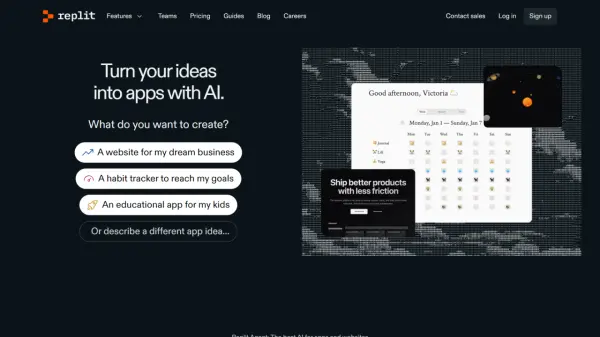
Turn your ideas into apps with AI.

What is Replit?

Replit is an online platform that simplifies and accelerates the application development process. It leverages the power of Replit Agent, an advanced AI, to help users build and launch applications and websites.

Replit provides a comprehensive, collaborative environment backed by Google Cloud, offering everything needed to bring software ideas to fruition. From initial concept to live deployment, users can efficiently create and manage their projects.

Features

  • Replit Agent: An automated app developer that creates a build plan from user prompts.
  • Collaboration: Multiple users can work together on the same project in real-time.
  • Cloud Development Environment (CDE): A fully configured environment for development.
  • Deployments: Options for static, scheduled, reserved VM, and autoscale deployments, backed by Google Cloud.
  • Scalable Compute: Upgrade development compute up to 16 vCPUs and 32 GiB RAM.
  • Mobile and Desktop Apps: Access Replit's platform on multiple devices.
  • AI Assistance: Replit AI helps users by generating code, debugging, and refining applications through chat.

Use Cases

  • Rapid prototyping of applications.
  • Building and deploying web applications.
  • Creating educational apps.
  • Developing habit trackers.
  • Collaborative software development projects.
  • Automating tasks with custom applications.

FAQs

  • What is Replit Agent?
    Replit Agent is an advanced AI that automates app development, allowing users to build applications by providing simple prompts.
  • What deployment options does Replit offer?
    Replit provides static, scheduled, reserved VM, and autoscale deployments backed by Google Cloud.
  • What languages does Replit support?
    Replit supports multiple languages, including Python, JavaScript, TypeScript, Node.js, HTML, CSS, JS, C++, and GoLang.

Related Queries

Helpful for people in the following professions

Related Tools:

Blogs:

  • Top 6 AI note-taking tools for 2026: in-person, online, and hybrid use cases

    Top 6 AI note-taking tools for 2026: in-person, online, and hybrid use cases

    Most AI note-taking lists are really lists of meeting bots, which join your video call and transcribe it. That's useful, but it's half the picture. Decisions happen in hallway conversations, client dinners, on-site visits, and hybrid rooms where nobody is on a video link. This guide covers different parts of the note-taking workflow: hardware capture for in-person settings, platform-native tools for online calls, and AI layers for organizing and synthesizing what you've captured. It compares six tools by capture context, workflow fit, pricing, and limitations.

  • Best AI tools for trip planning

    Best AI tools for trip planning

    These tools analyze user preferences, budget constraints, and destination details to provide personalized itineraries, suggest optimal routes, recommend accommodations, and even offer real-time updates on weather and local events.

  • Best AI Tools For Startups

    Best AI Tools For Startups

    we've compiled a straightforward list of user-friendly AI tools designed to give startups a boost. Discover practical solutions to streamline everyday tasks, enhance productivity, and gain valuable insights without the need for a tech expert. Learn where and how these tools can be applied in your startup journey, from automating repetitive tasks to unlocking powerful data analysis. Join us as we explore the features that make these AI tools accessible and beneficial for startups in various industries. Elevate your business with technology that works for you!

Didn't find tool you were looking for?

Be as detailed as possible for better results