What is remoteStorage?
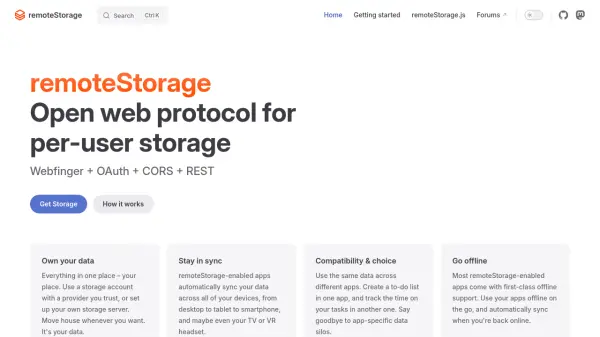
remoteStorage is an open web protocol designed to give users control over their data by allowing them to store it with a trusted provider or on their own server. It enables seamless synchronization across all devices, including desktops, tablets, smartphones, and other connected devices, with built-in offline support for most apps. This protocol promotes compatibility and choice by letting users share data across different applications, breaking down app-specific data silos.
For developers, remoteStorage offers a backend-as-a-service solution that eliminates the need for hosting or developing custom backends. It uses a JavaScript/TypeScript client library to handle offline storage and cross-device synchronization, ensuring infinite scalability at zero cost. The project is community-driven, with open development on GitHub, forums for support, and events for collaboration, making it a versatile tool for both users and developers in the web ecosystem.
Features
- Open Web Protocol: Standardized protocol for per-user storage using Webfinger, OAuth, CORS, and REST
- Data Ownership: Users can choose storage providers or set up their own servers, with the ability to move data freely
- Cross-Device Sync: Automatically syncs data across all devices, including desktops, tablets, smartphones, and VR headsets
- Offline Support: Most apps offer first-class offline functionality with automatic sync when back online
- Backend as a Service: Developers can build apps without hosting or backend development, with users connecting their own storage at runtime
- Infinite Scalability: Scales automatically for any number of users at zero cost to developers
- JavaScript/TypeScript Library: Client library for adding offline storage and synchronization to web apps
- Community-Driven: Developed openly by the community with contributions on GitHub, forums, and events
Use Cases
- Syncing personal data like to-do lists and task tracking across multiple devices
- Developing web apps without backend infrastructure for cost-free scalability
- Enabling offline use of apps with automatic data synchronization
- Breaking down data silos by sharing data between different applications
- Providing users with control over their storage location and providers
- Building community-driven open-source projects with collaborative development