What is Read the Docs?
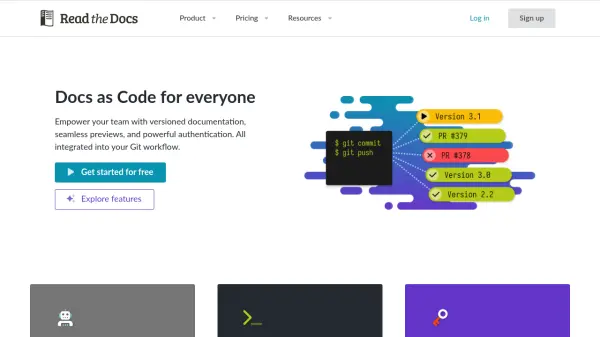
Read the Docs streamlines the process of hosting and managing documentation by closely integrating with your Git workflow. Designed for both open-source and commercial projects, the platform supports any documentation tool, including Sphinx, MkDocs, and Jupyter Book. Users benefit from automatic documentation builds on every commit, live previews for pull requests, and robust permission controls for private or public documentation.
With features such as versioned documentation, custom domains, integrated search, and team management, Read the Docs optimizes collaboration and ensures information is always up-to-date. Businesses can leverage advanced authentication, analytics, and concurrent build capabilities, while open-source projects can utilize the platform for free with ad-supported hosting.
Features
- Automatic Deploy Previews: Instantly preview documentation changes for every pull request.
- Versioned Documentation: Manage multiple versions aligned with product release cycles.
- Integrated Search: Search all documentation efficiently through a powerful dashboard interface.
- Support for Multiple Doc Tools: Compatible with Sphinx, MkDocs, Jupyter Book, and others.
- Team Management: Robust permissions and team member control for organizations.
- Single Sign-On (SSO): Streamlined access with integration for GitHub, GitLab, and Google.
- Custom Domains: Host documentation under personalized domain names.
- Concurrent Builds: Multiple documentation builds running in parallel for fast turnaround.
- Advanced Analytics: In-depth insights into page views and search trends.
- Private Repository Support: Securely host documentation from private code repositories.
Use Cases
- Collaborative creation and deployment of product documentation for software teams.
- Hosting public documentation for open-source libraries and frameworks.
- Managing internal documentation with granular access controls for enterprises.
- Versioning user guides and developer manuals to match product updates.
- Providing quick pull request previews to streamline documentation reviews.
- Integrating seamless documentation workflows into CI/CD processes.
FAQs
-
What types of documentation tools does Read the Docs support?
Read the Docs offers integrated support for Sphinx, MkDocs, Jupyter Book, and is flexible enough to work with most documentation tools. -
Does Read the Docs support private documentation hosting?
Yes, private and public documentation can be hosted securely on paid business plans with robust permission controls. -
Can I host multiple versions of my documentation?
Yes, the platform provides versioned documentation, allowing you to build and host multiple versions aligned with your product release cycle. -
Is there a free plan for open-source projects?
Open-source and community projects can use Read the Docs Community for free, including key features with ad-supported hosting. -
How does team management work in Read the Docs?
Organizations can add team members, control access via roles and permissions, and integrate authentication through popular providers.