What is RC Ductility Designer?
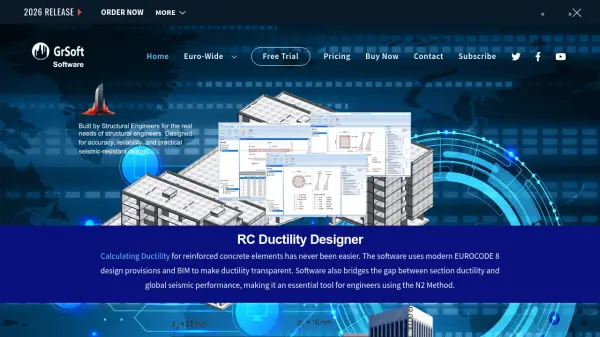
RC Ductility Designer is a specialized software tool designed for structural engineers to calculate curvature ductility in critical regions of primary seismic structural elements. It adheres to Eurocode 8 standards and integrates with Building Information Modeling (BIM) workflows, making it essential for performance-based seismic design. The software automates complex calculations for yield and ultimate equilibrium, allowing users to input concrete section properties, reinforcement details, and material properties. It supports both automatic and manual calculation modes, with features for confinement effects and strain limits, ensuring accurate and regulation-compliant results.
This tool bridges the gap between section ductility and global seismic performance, particularly useful for engineers employing the N2 Method. It enhances seismic assessment workflows by providing precise data on ductility factors and verifying compliance with local ductility requirements. RC Ductility Designer is built on Eurocode standards, ensuring compatibility across EU member states and other regions following similar codes, empowering engineers to design safer and more resilient structures.
Features
- Curvature Ductility Calculation: Automatically computes ductility factors for reinforced concrete sections based on Eurocode 8.
- BIM Integration: Seamlessly integrates with Building Information Modeling workflows for enhanced design transparency.
- Yield Equilibrium Analysis: Provides automatic calculation of yield equilibrium using advanced numerical iteration procedures.
- Ultimate Equilibrium Analysis: Calculates ultimate equilibrium with user-defined section and reinforcement properties.
- Compliance Verification: Ensures all local ductility requirements are met according to Eurocode standards.
- Automatic and Manual Modes: Offers flexibility with both automated calculations and manual iteration options for complex projects.
- Confinement Effects: Includes options to account for confinement effects from transverse reinforcement like stirrups.
- Strain Limits: Allows setting and monitoring of strain limits to optimize ductility and safety.
Use Cases
- Designing ductile reinforced concrete walls for seismic resilience.
- Analyzing curvature ductility in columns for earthquake-prone regions.
- Verifying compliance with Eurocode 8 standards in structural engineering projects.
- Integrating ductility calculations into BIM workflows for collaborative design.
- Using the N2 Method for performance-based seismic assessments.
- Optimizing reinforcement ratios to prevent over-reinforcement and ensure ductile failure modes.
- Educational purposes for engineering students learning about seismic design principles.
- Conducting detailed ductility analysis in critical structural elements like beam-column connections.
FAQs
-
What standards does RC Ductility Designer comply with?
RC Ductility Designer complies with Eurocode 8 standards for seismic design and is compatible with various National Annexes, including BS, DE, EN, and SI. -
Can I use RC Ductility Designer for educational purposes?
Yes, the software is suitable for educational use, helping engineering students and professionals learn about ductility design and Eurocode compliance. -
Does the software support integration with other structural analysis tools?
While not explicitly stated, RC Ductility Designer integrates with BIM workflows and is designed to complement tools like ETABS or SAP2000 for comprehensive seismic analysis. -
What is the licensing model for RC Ductility Designer?
The software uses a perpetual license model with a one-time fee, including unlimited technical support and free minor version upgrades. -
Is there a free trial available for RC Ductility Designer?
Yes, a free trial is offered, allowing users to test the software's features before purchasing.