QuiverVision favicon

QuiverVision
Bringing learning to life with augmented reality coloring experiences.

What is QuiverVision?

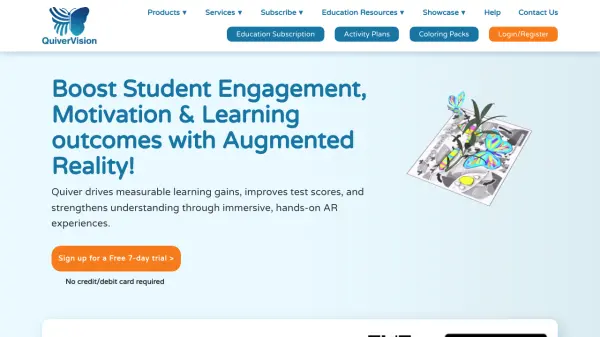
QuiverVision utilizes augmented reality technology to create interactive 3D experiences from coloring sheets, making learning more engaging and fun. The platform provides access to an extensive library of over 250 AR coloring sheets and a repository of 75+ curriculum-aligned lesson and activity plans designed to complement the 3D content.

New content is added monthly as part of the subscription, ensuring users have fresh and relevant materials. This tool enhances educational activities by combining creative coloring with immersive technology, suitable for various learning environments.

Features

  • AR Coloring: Transforms coloring sheets into interactive 3D augmented reality experiences
  • Educational Content: Provides over 250 coloring sheets and 75+ curriculum-aligned activity plans
  • Monthly Updates: Includes new content added every month with the subscription
  • Curriculum Integration: Activity plans are designed to align with educational standards

Use Cases

  • Enhancing classroom learning with interactive AR activities
  • Making homeschooling more engaging through 3D coloring experiences
  • Providing educational entertainment for children at home
  • Supporting curriculum development with ready-to-use lesson plans

Related Tools:

Blogs:

  • Best AI tools for recruiters

    Best AI tools for recruiters

    These tools use advanced algorithms and machine learning to automate tasks such as resume screening, candidate matching, and predictive analytics. By analyzing vast amounts of data quickly and efficiently, AI tools help recruiters make data-driven decisions, save time, and identify the best candidates for open positions.

  • Top 6 AI note-taking tools for 2026: in-person, online, and hybrid use cases

    Top 6 AI note-taking tools for 2026: in-person, online, and hybrid use cases

    Most AI note-taking lists are really lists of meeting bots, which join your video call and transcribe it. That's useful, but it's half the picture. Decisions happen in hallway conversations, client dinners, on-site visits, and hybrid rooms where nobody is on a video link. This guide covers different parts of the note-taking workflow: hardware capture for in-person settings, platform-native tools for online calls, and AI layers for organizing and synthesizing what you've captured. It compares six tools by capture context, workflow fit, pricing, and limitations.

  • Long Videos into Viral Shorts

    Long Videos into Viral Shorts

    Klap.app is an AI-powered video editing tool that transforms long-form videos into engaging short clips optimized for platforms like TikTok, Instagram Reels, and YouTube Shorts

  • Top AI tools for Teachers

    Top AI tools for Teachers

    Explore the top AI tools designed for teachers, revolutionizing the education landscape. These innovative tools leverage artificial intelligence to enhance teaching efficiency, personalize learning experiences, automate administrative tasks, and provide valuable insights, empowering educators to create engaging and effective educational environments.

Didn't find tool you were looking for?

Be as detailed as possible for better results