What is QuickQuill?
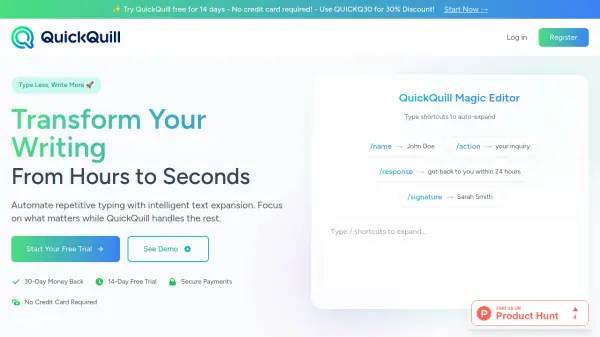
QuickQuill is designed to accelerate and automate your writing process using intelligent text expansion technology powered by artificial intelligence. The tool enables users to create fully customizable shortcuts that instantly expand into longer phrases or blocks of text, which can be used in any text field across websites and applications. By eliminating repetitive typing and standardizing frequently used responses or content, QuickQuill helps writers, professionals, and business users save significant time and effort.
The easy-to-install browser extension provides a seamless writing experience, syncing shortcuts across devices and integrating with your workflow. QuickQuill offers flexible subscription options, including a 14-day free trial with basic features and paid plans unlocking unlimited shortcuts, cloud sync, and priority support. Its intuitive setup ensures users can create and utilize text expansions efficiently, making it a valuable tool for anyone aiming to enhance writing speed and productivity.
Features
- AI-Powered Text Expansion: Instantly expands shortcuts into full text using intelligent algorithms.
- Customizable Shortcuts: Users can create and personalize shortcut triggers for any text they frequently use.
- Works Everywhere: Expansions function across all websites and apps, providing maximum flexibility.
- Cloud Sync: Shortcut configurations are synced securely across multiple devices.
- Browser Extension: Simple installation on Chrome for fast workflow integration.
- Priority Support: Higher-tier plans offer advanced support and early access to features.
Use Cases
- Automating repetitive email responses for business communication.
- Expediting customer support replies with predefined message templates.
- Streamlining coding or technical documentation with standard snippets.
- Saving time when filling online forms with frequent data entries.
- Improving productivity for writers and content creators by reducing manual typing.
FAQs
-
Is there a free trial available for QuickQuill?
Yes, QuickQuill offers a 14-day free trial with access to basic features and no credit card required. -
Does QuickQuill work across all websites and applications?
Yes, QuickQuill's text expansions can be used in any text field across all websites and applications. -
How do I install QuickQuill?
QuickQuill can be easily added as a browser extension through the Chrome Web Store. -
Can I sync my shortcuts across multiple devices?
Yes, cloud sync is available with paid plans, allowing users to access their shortcuts on multiple devices. -
What support options are available?
Priority and basic support options are provided based on the chosen subscription plan.