What is Quaeris?
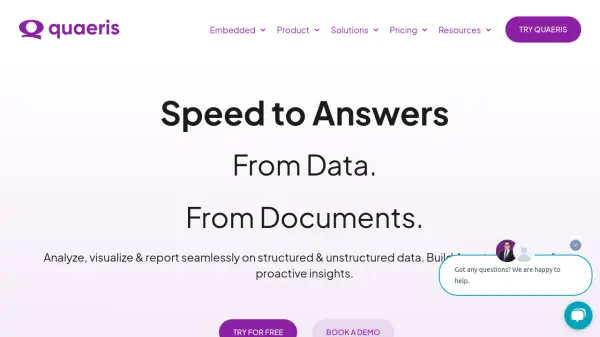
Quaeris is a sophisticated Generative AI-based analytic decision workflow platform designed for enterprises and businesses. It enables users to interact with both structured and unstructured data using natural language queries, simplifying the process of obtaining insights. The platform facilitates seamless analysis, visualization, and reporting, aiming to replace multiple point solutions and potentially reduce the total cost of ownership.
Featuring converged search capabilities, Quaeris allows users to query data, documents, and collaborate with colleagues within a single interface, enhancing productivity and data-driven decision-making. It offers robust security features, including role-based access control and member-level security, to keep data private and supports various implementation options like SaaS or on-premises deployments. Additionally, Quaeris provides embedded analytics that can be integrated into applications or web pages with relative ease, making data experiences more intuitive and accessible across an organization.
Features
- Natural Language Queries (NLQ/NLU Suite): Ask complex data questions using natural language.
- Converged Search: Search across data, documents, and potentially coworkers in one interface.
- Data Analysis & Visualization: Analyze unlimited data from various sources and create visualizations.
- Reporting Automation (Data Stories): Build, approve, publish, and share reports and storybooks.
- Embedded Analytics: Easily embed charts, pinboards, or stories into applications or web pages.
- Collaboration Tools: Facilitate data-driven collaboration with governance and history tracking.
- Security & Privacy: Features Role-Based Access Control, Member-Level Security, and options for SaaS or On-Prem deployment.
- Proactive Insights Agents: Build agents to proactively track data and deliver insights.
Use Cases
- Instantly answer complex business questions using natural language.
- Analyze operational data from various sources for quick insights.
- Search and retrieve information from both databases and documents simultaneously.
- Automate the creation and distribution of standard business reports (Storybooks).
- Embed interactive charts and dashboards into existing business applications or web pages.
- Facilitate secure collaboration among team members based on shared data insights.
- Monitor key performance indicators proactively with custom AI agents.
- Streamline workflows for finance (CFO Office), operations (COO), and customer service teams.