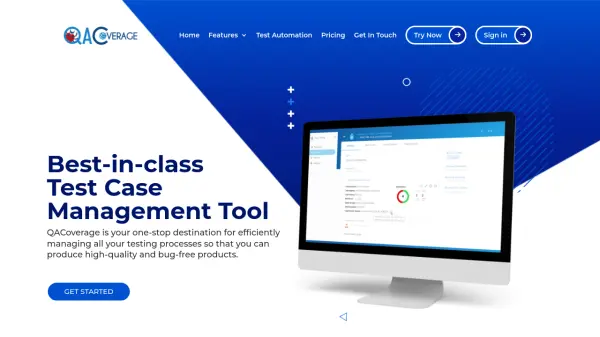
What is QACoverage?
QACoverage provides a comprehensive test management platform designed to enhance software quality through efficient workflow organization. The platform integrates multiple modules including requirements management, test design, test execution, ticket management, agile collaboration, and detailed reporting dashboards.
It offers real-time analytics and insights to help QA teams monitor testing progress, track defects, and improve product performance. The tool supports both manual and automated testing with seamless integrations to popular frameworks like Katalon, Cypress, and CI/CD tools such as Jenkins.
Features
- Requirements Module: Manage and track project requirements throughout the testing lifecycle
- Test Design Module: Create and organize detailed test cases for manual and automated testing
- Test Execution Module: Execute test scripts and monitor results in real-time
- Reporting and Dashboard Module: Generate comprehensive reports and visual analytics
- Integration With JIRA: Connect and track agile software development projects
- Test Automation Integration: Seamlessly integrate with frameworks like Katalon, Cypress, and Robot Framework
Use Cases
- Managing test cases and requirements for software development projects
- Executing and monitoring automated test scripts in real-time
- Tracking defects and issues through integrated ticket management
- Generating detailed reports and dashboards for QA team insights
- Collaborating on agile projects with Jira integration
- Streamlining testing processes with CI/CD tools like Jenkins
FAQs
-
What are the system requirements for On Premise mode?
Environments: Linux (CentOS, Ubuntu, Debian) and Windows (Server 2012, 2008, Windows 10). Hardware: 2 GHz multi-core processor, 4 GB RAM, 5 GB disk space. Software: Supported browsers include Mozilla Firefox 65+, Google Chrome 80+, Safari 13+, Microsoft EDGE 80+. -
What does the purchase include for perpetual licenses?
One year of free upgrades to new major versions, one-time cost for perpetual licenses, and the software is licensed per machine with activation on one machine at a time. -
Which payment methods are accepted?
Payment cards (most common credit and debit cards) and bank transfer (contact for details).