What is pywebview?
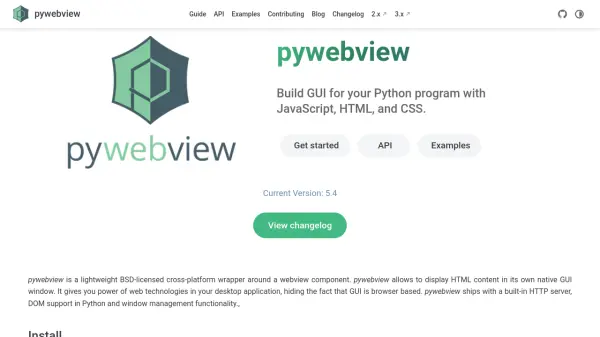
pywebview empowers Python programmers to build desktop applications with rich GUIs by leveraging web technologies, such as HTML, CSS, and JavaScript. Through a native windowed environment, developers can seamlessly display and interact with web content on Windows, macOS, Linux, and Android platforms, all while maintaining control over window management and native user interface components.
Featuring a built-in HTTP server and direct two-way communication between JavaScript and Python, pywebview simplifies both the integration process and application distribution. Its native component support, DOM manipulation capabilities, and compatibility with popular application bundlers allow for flexible, professional desktop app development without compromising on cross-platform consistency.
Features
- Cross-Platform Compatibility: Runs on Windows, macOS, Linux, and Android.
- Two-Way Javascript↔Python Communication: Enables direct messaging between frontend and backend without REST or HTTP.
- Built-in HTTP Server: Hosts and serves static files within the application.
- Window Management: Offers control over window appearance, position, and supports multiple windows.
- Native Components: Integrates menus, message boxes, and file dialogs as native elements.
- DOM Support: Allows manipulation and traversal of the DOM through Python APIs.
- Filesystem Access: Handles file dialogs and provides access to file paths.
- Bundler Integration: Works seamlessly with pyinstaller, nuitka, and py2app.
Use Cases
- Building cross-platform desktop applications from existing web apps.
- Adding a native desktop interface to Python scripts.
- Enabling Python-JavaScript integration for interactive apps.
- Rapid prototyping of desktop GUIs using web technologies.
- Developing internal business tools for multiple operating systems.
FAQs
-
What operating systems does pywebview support?
pywebview is compatible with Windows, macOS, Linux, and Android, offering consistent functionality across different platforms. -
Can I use JavaScript and Python together in pywebview?
Yes, pywebview facilitates direct two-way communication between JavaScript and Python, allowing integrated interactivity within desktop applications. -
Does pywebview support application bundling for distribution?
Yes, pywebview works seamlessly with application bundlers such as pyinstaller, nuitka, and py2app to simplify packaging and distribution.