What is PushNinja?
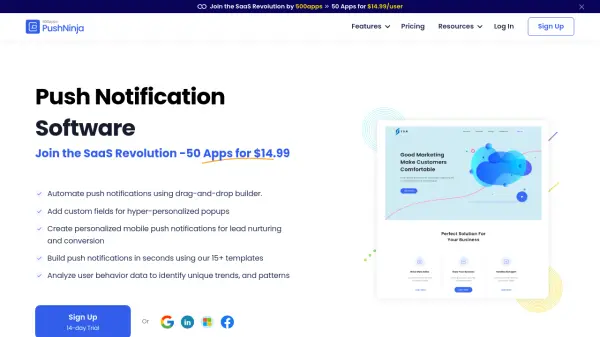
PushNinja is a comprehensive web push notification software designed to help businesses maintain customer engagement through automated browser notifications. The platform enables users to create personalized push notifications using a drag-and-drop visual flow designer, allowing for the automation of drip sequences and targeted messaging. Businesses can leverage behavioral triggers, merge fields, and custom conditions to deliver hyper-personalized content that resonates with their audience.
The software provides advanced targeting capabilities, behavioral segmentation based on user actions and interests, and in-depth analytics to track performance metrics like click-through rates and user engagement patterns. With support for multiple websites, multi-device compatibility, and 15+ built-in templates, PushNinja streamlines the process of creating and managing push notification campaigns to increase website visibility and customer retention.
Features
- Web Push Notifications: Create clickable notifications that appear on users' browsers across devices
- Personalized Notifications: Customize messages using subscriber details like name, interests, and demographics
- Drip Campaigns: Automate notification sequences based on customer behavior to improve engagement
- Advanced Targeting: Target audiences based on specific topics and interests for precise campaign delivery
- Behavioral Segmentation: Segment users according to their actions, preferences, and geographic location
- Visual Flows: Design automated campaigns using a drag-and-drop visual designer with triggers and actions
- Advanced Analytics: Analyze user behavior data, click-through rates, and engagement patterns in real-time
- Customer Engagement Tools: Utilize multi-device support and retargeting features to enhance user experience
Use Cases
- Sending promotional offers and updates to website visitors
- Automating customer onboarding sequences with personalized messages
- Re-engaging inactive users through targeted push notifications
- Segmenting audiences for targeted marketing campaigns
- Analyzing user behavior to optimize notification timing and content
- Creating drip campaigns for lead nurturing and conversion
- Personalizing notifications based on user demographics and interests
- Monitoring campaign performance with real-time analytics
FAQs
-
What is PushNinja?
PushNinja is a web push notification software that helps businesses engage visitors by sending attractive browser notifications even when they are not on your website. -
Is my and my users' data safe?
Yes, your privacy is of the utmost importance to us! Your data is stored on a secure cloud-based server, protected by 128-bit encryption and isn't shared with any third party services. -
Can I cancel or upgrade my subscription at any time?
All Pushninja subscribers pay as they go, and you can cancel at any time. There are no requirements for a long-term commitment. -
How is a 'user' defined?
Any person with a unique Pushninja username and login is a user. Each user's action while logged on can be tracked and recorded for optimal performance and analysis. -
Does Pushninja offer any uptime guarantee?
Yes, Pushninja services are backed up by a 99.99% uptime guarantee, hosted on Google and Amazon cloud infrastructure.