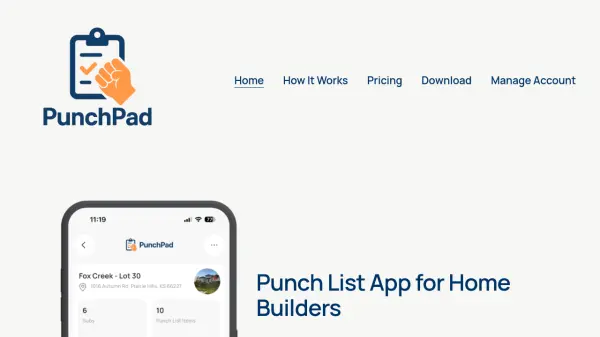


What is PunchPad?
PunchPad provides a focused solution for construction professionals to manage punch lists efficiently throughout projects. Builders can create punch list items while walking job sites, attach photos, tag trades, and assign issues directly within the app. The system generates a live punch list report that updates automatically as items are added or completed.
Subcontractors can access the live report through a simple link on any device without requiring app downloads, logins, or accounts. This approach replaces traditional methods like PDFs, emails, and spreadsheets that often lead to outdated information and version confusion. The tool maintains control with builders while providing view-only access to subcontractors, ensuring clarity and current information flow across all project stages.
Features
- Live Punch List Reports: Share one report that updates automatically as items are added or completed
- View-Only Subcontractor Access: Subcontractors can view reports without logins, accounts, or app downloads
- Photo Attachment: Add photos directly to punch list items for visual documentation
- Trade Tagging: Assign punch list items to specific subcontractors or trades
- Unlimited Usage: Unlimited punch lists, projects, and items under one subscription
Use Cases
- Tracking unfinished work during construction walkthroughs
- Managing punch lists from framing through final closeout
- Sharing current punch list information with multiple subcontractors
- Replacing PDF and spreadsheet-based punch list systems
- Maintaining a single source of truth for construction defect tracking
FAQs
-
What is the difference between PunchPad and full project management software?
PunchPad is a specialized punch list app focused solely on punch list management, while full project management software handles comprehensive construction management with more features, logins, and complexity. -
Can multiple users from the same company access the same PunchPad account?
The content doesn't specify multi-user access within a company account, but pricing is per account with unlimited projects and punch lists. -
What happens to my data if I cancel my subscription?
The content doesn't specify data retention policies after cancellation. -
Is there an annual payment option available?
The content only mentions monthly pricing at $12/month with no annual option specified. -
Can I export punch list data to other formats?
The content doesn't specify export capabilities or data portability features.