What is promptcat.io?
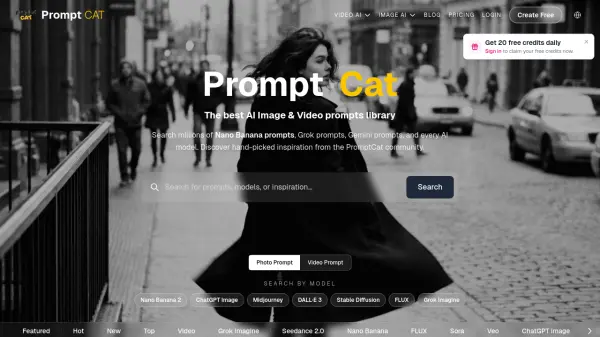
promptcat.io is a versatile AI-powered platform designed for creators, professionals, and agencies to generate high-quality images and videos. It integrates multiple cutting-edge AI models, including Kling 3.0 Pro, Vidu Q3, xAI Grok Imagine, and more, allowing users to produce diverse visual content with ease. The platform operates on a credit-based system, where each generation consumes a set number of credits, providing flexibility and control over usage.
With features like concurrent generation, private image visibility, and priority support, promptcat.io caters to both individual creators and large teams. Subscription plans range from Basic to Creator, offering increasing credits, advanced model access, and additional perks such as API access for enterprise needs. The platform is trusted by professionals from top brands and supports secure payments, making it a reliable choice for AI-driven media creation.
Features
- Multi-Model Support: Access to Kling 3.0 Pro, Vidu Q3, xAI Grok Imagine, Nano Banana, and more for diverse image and video generation.
- Credit-Based System: Flexible usage with credits that cover image and video generations, with options to buy more if needed.
- Concurrent Generation: Generate up to 20 images and 10 videos simultaneously depending on the plan.
- Commercial Terms: General and Extended Commercial Terms available for business use.
- Priority Support: Dedicated support with varying priority levels based on subscription tier.
Use Cases
- Create social media visuals and short video clips for marketing campaigns.
- Generate product images and promotional videos for e-commerce.
- Produce concept art and storyboards for creative projects.
- Develop personalized avatars and AI outfit try-ons for fashion.
- Upscale and edit existing images or videos for professional portfolios.
FAQs
-
What payment methods do you accept?
The platform accepts secure payments via standard online methods; specific options are not listed on the pricing page. -
How are my credits deducted for image or video generation?
Credits are deducted per generation based on the model and type of content; details are provided within the platform. -
Do unused credits roll over to the next billing cycle?
The FAQ section does not specify rollover policy; please check the terms or contact support. -
What if I need more credits?
You can purchase additional credit packs or upgrade to a higher plan for more monthly credits. -
How to check my credit status?
Credit status can be viewed in your account dashboard on the platform.