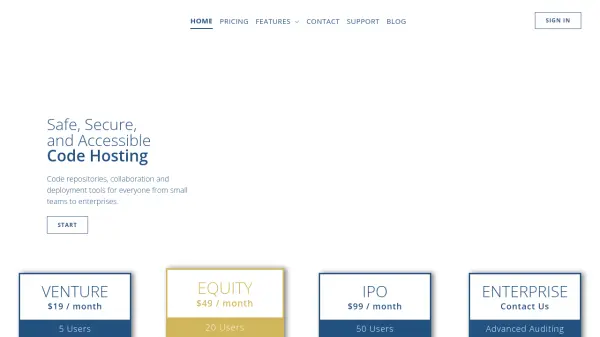
What is ProjectLocker?
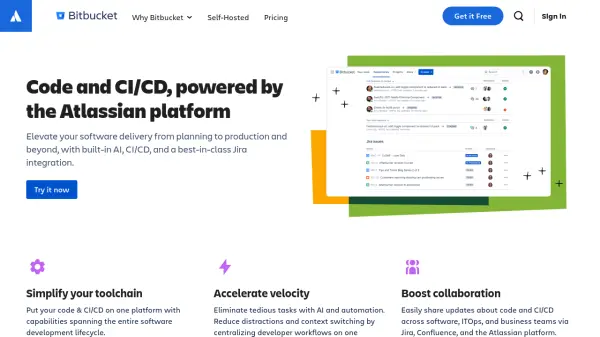
ProjectLocker provides cloud-based code hosting solutions featuring enterprise-grade security, automated backups, and seamless accessibility. Supporting both Subversion and Git repositories, it allows teams to manage private source code with powerful permission controls and a user-friendly web management console. ProjectLocker streamlines workflows with automatic deployments, continuous integration, and advanced project management tools.
Designed for businesses and development teams, ProjectLocker offers integrated bug tracking, wikis, and milestone management, leveraging the open-source Trac application. Its robust communication features enable notification via email, Twitter, and third-party integrations, while security is maintained through data encryption, 24/7 monitoring, and industry-compliant infrastructure—ensuring code safety and collaborative efficiency from small teams to enterprises.
Features
- Subversion & Git Hosting: Private, secure code repositories with enterprise-grade hosting.
- Web-based Management Console: Manage users and permissions through a user-friendly interface.
- Automatic Backups: Ensures data safety with regular automated backups.
- Automatic Deployments: Deploy code to cloud servers automatically upon commit.
- Continuous Integration: BuildLocker CI available on select plans for streamlined development.
- Integrated Project Management: Includes bug tracking, wikis, and milestone management via Trac.
- Advanced Security: Encrypted access, redundant data storage, and IP-based access restriction.
- Activity Stream & Notifications: Centralized activity logs and customizable alerts.
- Third-party Integrations: Supports Basecamp, Fogbugz, Lighthouse, HipChat, and more.
Use Cases
- Hosting secure Git or Subversion code repositories for software teams.
- Automating deployments to cloud servers after each commit.
- Implementing continuous integration in development workflows.
- Managing software development projects with integrated bug tracking and milestones.
- Facilitating collaboration across remote teams with communication and notification tools.
- Restricting repository access to specific IP addresses for enhanced security.
- Integrating code management with project management and external productivity platforms.
FAQs
-
Which version control systems does ProjectLocker support?
ProjectLocker supports both Subversion (SVN) and Git repositories for source code hosting. -
How does ProjectLocker ensure the security of my code?
ProjectLocker secures your code with encrypted channels, 24/7 server monitoring, redundant storage, restricted shell access, and industry-compliant physical data centers. -
Can I automate code deployments with ProjectLocker?
Yes, ProjectLocker enables automatic code deployment to cloud servers upon each code commit. -
Does ProjectLocker include project management features?
Yes, it integrates the Trac application, providing bug tracking, wiki, and milestone management. -
Is there a free trial available for ProjectLocker plans?
Yes, ProjectLocker offers a free trial for its paid subscription plans.