What is PixBim?
PixBim provides a comprehensive suite of AI-powered software tools designed to enhance, restore, and transform photos and videos. Their product lineup includes Color Surprise AI for automatic colorization of black and white photos, Video Colorize AI for colorizing vintage videos, and Lip Sync AI for creating realistic lip-synced videos. Other tools include Voice Clone AI for cloning voices with unlimited output, Object Remover AI for restoring old photos and removing unwanted objects, and several more utilities for enlarging images, removing video watermarks, and upscaling video quality. All PixBim products are offered with a pay-once, own-it-forever pricing model, with no subscriptions or usage limits.
PixBim's software leverages deep learning and artificial intelligence to deliver professional-grade results that are accessible to both casual users and professionals. The tools are designed to be user-friendly, with intuitive interfaces that allow users to achieve complex edits like colorization, lip sync, and voice cloning in minutes. With a focus on affordability and lifetime access, PixBim aims to provide powerful AI solutions that give joy to their customers and help them preserve memories, create content, and enhance their media.
Features
- Lifetime Ownership: Pay once and own the software forever with no subscriptions or usage limits.
- AI Lip Sync: Automatically synchronize lip movements in videos with ultra-realistic results.
- Voice Cloning: Clone any voice with high realism and generate unlimited voice output.
- Video Colorization: Colorize black and white videos and classic movies using AI.
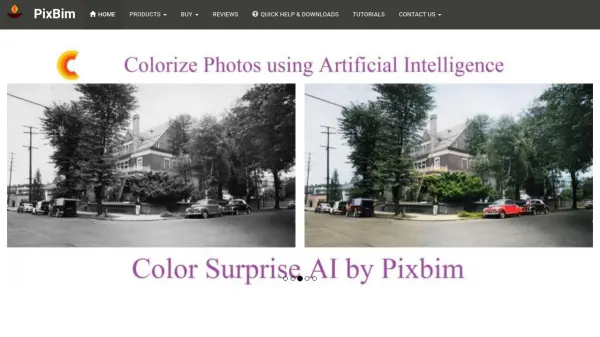
- Photo Colorization: Automatically convert black and white photos to color using deep learning.
- Object Removal: Remove unwanted objects, text, scratches, tears, and spots from photos with AI.
- Image Enlargement: Enlarge images without losing quality using AI upscaling.
- Video Upscaling: Upscale video resolution while preserving detail and clarity.
- User-Friendly Interface: Intuitive controls designed for both beginners and professionals.
Use Cases
- Colorizing old family photos and historical images
- Restoring damaged or scratched old photographs
- Creating lip-synced videos for dubbing, animation, or content creation
- Cloning a voice for audiobooks, podcasts, or storytelling
- Colorizing black and white vintage films and home videos
- Removing watermarks from videos
- Upscaling low-resolution images and videos for better quality
- Enhancing archival footage for documentaries or preservation
FAQs
-
Do PixBim products require a subscription?
No, all PixBim products are offered as a one-time purchase with lifetime ownership. There are no subscriptions or usage limits. -
Can I use PixBim Lip Sync AI for commercial projects?
Yes, the software comes with a commercial license for the output generated. -
Is there a free trial available?
Yes, PixBim offers free trials for most of their products, allowing you to test the software before purchasing. -
What file formats are supported?
PixBim software supports common image and video formats such as JPEG, PNG, MP4, AVI, and more. Check individual product pages for detailed specifications.