Pismo File System Redirector
Cross-platform file system development technology for custom file systems

What is Pismo File System Redirector?

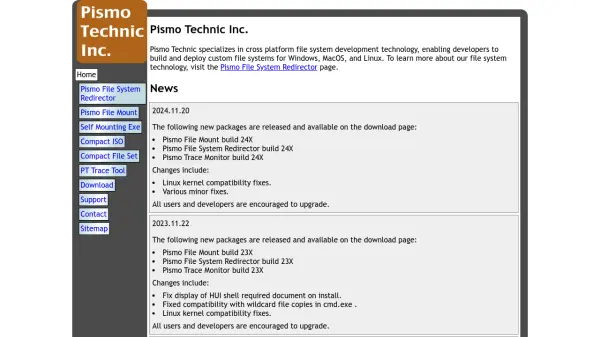
Pismo File System Redirector provides cross-platform file system development technology that allows developers to create and deploy custom file systems. The technology supports multiple operating systems including Windows, MacOS, and Linux, with specific compatibility for various kernel versions and system requirements.

The solution includes regular updates and builds that address compatibility issues, fix display problems, and improve overall functionality. Recent releases have introduced major restructuring of core packages, ARM and x64 support on multiple platforms, and enhanced Linux kernel compatibility through version 6.5 and RHEL/Rocky distributions through 9.1.

Features

  • Cross-Platform Support: Works with Windows, MacOS, and Linux operating systems
  • Kernel Compatibility: Compatible with Linux kernels through 6.5 and RHEL/Rocky through 9.1
  • Architecture Support: ARM and x64 support on MacOS and Windows platforms
  • Regular Updates: Frequent builds with compatibility fixes and improvements

Use Cases

  • Developing custom file systems for cross-platform applications
  • Creating file system solutions for enterprise environments
  • Building file management tools for multiple operating systems
  • Developing system utilities requiring file system redirection

Blogs:

  • Best AI tools for recruiters

    Best AI tools for recruiters

    These tools use advanced algorithms and machine learning to automate tasks such as resume screening, candidate matching, and predictive analytics. By analyzing vast amounts of data quickly and efficiently, AI tools help recruiters make data-driven decisions, save time, and identify the best candidates for open positions.

  • Top 6 AI note-taking tools for 2026: in-person, online, and hybrid use cases

    Top 6 AI note-taking tools for 2026: in-person, online, and hybrid use cases

    Most AI note-taking lists are really lists of meeting bots, which join your video call and transcribe it. That's useful, but it's half the picture. Decisions happen in hallway conversations, client dinners, on-site visits, and hybrid rooms where nobody is on a video link. This guide covers different parts of the note-taking workflow: hardware capture for in-person settings, platform-native tools for online calls, and AI layers for organizing and synthesizing what you've captured. It compares six tools by capture context, workflow fit, pricing, and limitations.

Didn't find tool you were looking for?

Be as detailed as possible for better results