What is Pinrom?
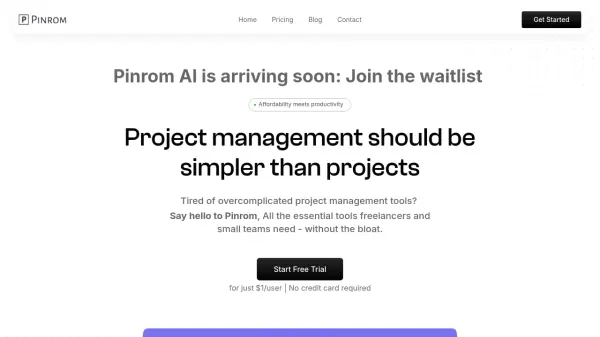
Pinrom is an intuitive project management platform designed for freelancers, solopreneurs, and small teams seeking a simple yet powerful way to handle projects. With real-time collaboration features, advanced analytics, and robust task tracking, Pinrom eliminates unnecessary complexity, making project organization seamless and efficient.
Users benefit from features such as role-based access, deadline tracking, easy data syncing, and a built-in wiki for knowledge management. With affordable pricing and an emphasis on usability, Pinrom is ideal for managing projects, teams, and clients efficiently without the hassle of steep learning curves or bloated functionality.
Features
- Intuitive User Interface: Effortless navigation for all users
- Real-Time Collaboration: Seamless teamwork and communication
- Advanced Analytics: Data-driven project decision-making
- Efficient Task Tracking: Robust system for assigning, prioritizing, and monitoring tasks
- Deadline Tracking: Comprehensive reminders and milestone management
- Role-Based Access Control: Permissions tailored for clients and freelancers
- Wiki & Knowledge Base: Centralized project information management
- Simple Data Syncing: Effortless data access across multiple devices
- Member Management: Easy onboarding and collaboration for team members
- Time Logs and Task Versions: Track time and maintain task history (coming soon)
Use Cases
- Freelancers managing client projects and deadlines
- Small business teams collaborating on shared assignments
- Agencies organizing projects for multiple clients
- Solopreneurs tracking project progress and deliverables
- Remote teams streamlining communication and documentation
- Businesses needing secure project knowledge management
FAQs
-
What is Pinrom, and who is it for?
Pinrom is a simple project management tool designed for freelancers, solopreneurs, and small businesses. -
Why is Pinrom priced at $1 per user per month?
Pinrom aims to make essential project management features accessible at an affordable price point, eliminating unwanted complexity and cost. -
Do I need training to use Pinrom?
Pinrom is designed with an intuitive user interface, ensuring almost no learning curve for new users. -
Does Pinrom offer task and time tracking?
Yes, Pinrom provides efficient task management and time tracking to help users monitor progress and ensure on-time delivery. -
Can I try Pinrom before committing?
Yes, Pinrom offers a free trial for users to experience the platform before making a purchase.