What is PatentFig AI?
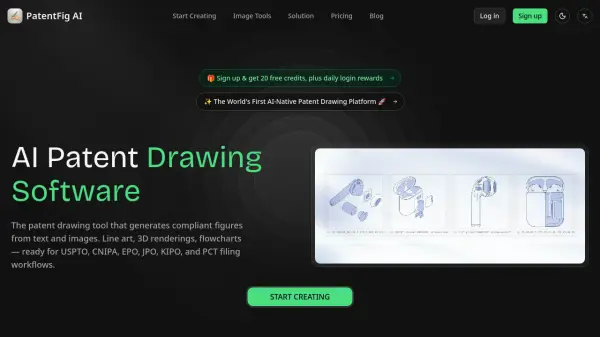
<p>PatentFig AI is the world's first AI-native patent drawing platform, designed to help patent professionals, attorneys, agents, and inventors create filing-ready patent figures with speed and precision. The platform accepts multi-modal inputs, including text descriptions, product photos, hand-drawn sketches, and CAD screenshots, and automatically generates patent-compliant line art, 3D renderings, flowcharts, and block diagrams. It supports major patent offices including USPTO, EPO, CNIPA, JPO, KIPO, and PCT/WIPO, ensuring that outputs meet each office's specific drawing standards for DPI, margins, line clarity, and reference numerals.</p>
<p>The platform streamlines the entire patent figure workflow through a chat-based editing interface, where users can refine drawings using plain-language commands. A built-in version control system tracks every generation and edit, while a pre-filing compliance checker reviews figures against office-specific requirements before export. Professional export options are available in PDF, PNG, SVG, and TIFF formats at exact patent office specifications, and projects can be organized by patent application to manage all figure sets, versions, and compliance status in one centralized workspace. Pricing ranges from a free tier with 20 credits per month to enterprise plans supporting high-volume organizational workflows, with a lifetime access option also available.</p>
Features
- Patent Line Art Generation: Automatically generates clean, labeled line drawings from product photos or 3D models, with AI-added reference numerals and leader lines.
- 3D Rendering & Multi-View: Produces consistent front, rear, top, and perspective views that belong to the same coherent figure set.
- Flowchart & Block Diagram Generation: Converts plain-language descriptions of processes and system logic into patent-ready flowcharts and block diagrams.
- Chat-to-Modify Editing: Allows users to edit any figure using natural language commands for instant AI-applied changes.
- Multi-Modal Input Support: Accepts reference photos, sketches, CAD screenshots, and text descriptions as input.
- Version Control: Tracks every generation and edit with versioned history (V1, V1.1, V1.2, etc.) for easy comparison and reversion.
- Pre-Filing Compliance Check: Reviews figures for DPI, margins, line clarity, and reference numeral standards before filing.
- Multi-Office Support: Generates figures formatted to USPTO, EPO, CNIPA, JPO, KIPO, and PCT/WIPO specifications.
- Professional Export: Exports in PDF, PNG, SVG, or TIFF at exact patent office specifications with batch export capability.
- Project Management: Organizes figures by patent application, tracking all figure sets, versions, and compliance status in one place.
Use Cases
- Generating patent-compliant line art from product photos for USPTO applications
- Creating multi-view design patent drawings for EPO or CNIPA filings
- Converting inventor sketches into filing-ready patent figures
- Producing flowcharts and system block diagrams for software or process patents
- Performing pre-filing compliance checks on patent drawings before submission
- Managing and versioning patent figure sets across multiple applications
- Standardizing figure packages for handoff to outside counsel
- Rapidly iterating on patent figure drafts based on inventor feedback
- Generating cross-office compliant figures for PCT international applications
- Accelerating patent illustration workflows for boutique IP firms and enterprise IP teams
How It Works
Describe or Upload Sketch
Enter a text description of your invention or upload a reference image such as a sketch, product photo, or CAD screenshot.
Choose View Angles
Select the figure types and view angles you want to generate, such as front, rear, top, perspective, cross-section, or flowchart.
Export and Use
Review the generated figures, make any edits using chat-based commands, run a compliance check, and export filing-ready files in PDF, PNG, SVG, or TIFF format.
FAQs
-
What types of patent figures can PatentFig AI generate?
PatentFig AI can generate patent line art, 3D renderings, multi-view figure sets, flowcharts, and block diagrams — covering the full range of illustration types required for utility, design, and process patents. -
Which patent offices are supported?
PatentFig AI supports USPTO, EPO, CNIPA, JPO, KIPO, and PCT/WIPO-oriented formatting workflows, allowing users to produce office-compliant outputs from a single set of source figures. -
How does the credit system work?
Each plan provides a monthly credit allocation used for figure generation and regeneration. The Free plan offers 20 credits/month, Basic offers 500, Pro offers 1,500, and Enterprise offers 4,000. A lifetime plan is also available. -
Can I edit the generated figures?
Yes. PatentFig AI includes a chat-to-modify feature that lets users make edits using natural language commands, such as adjusting line weight or adding a cross-section view, without restarting the generation process. -
Is there a lifetime pricing option available?
Yes. PatentFig AI offers a lifetime access plan priced at $1,999, in addition to monthly and yearly subscription plans.