PanelQ favicon

PanelQ
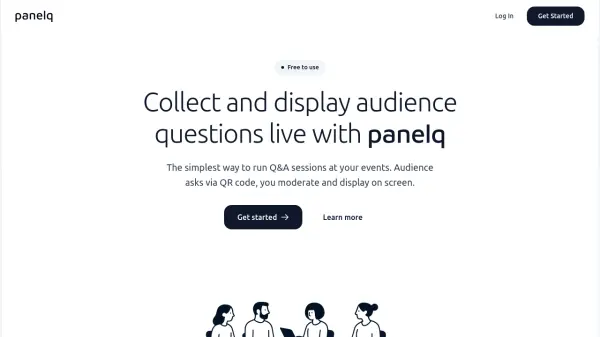
The simplest way to run Q&A sessions at your events

What is PanelQ?

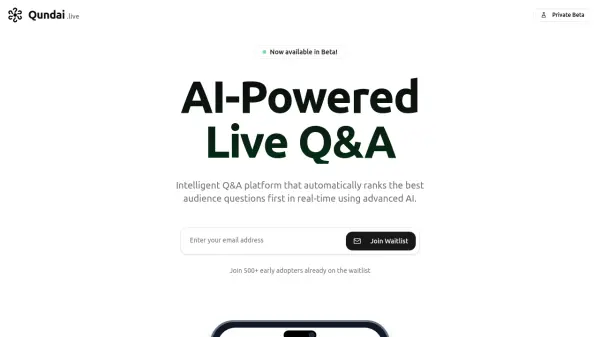
PanelQ is an AI-powered platform designed to enhance audience engagement during live events by facilitating interactive Q&A sessions. It allows attendees to submit questions through a simple QR code scan, eliminating the need for app installations or account creation. Event organizers can moderate submissions in real-time, approving relevant questions while filtering out inappropriate or off-topic content before displaying them on screen.

The tool integrates seamlessly with various event formats including conferences, corporate town halls, university lectures, webinars, and panel discussions. It works alongside popular streaming platforms like Zoom and Microsoft Teams, providing a frictionless experience for both organizers and participants. PanelQ's intuitive interface enables setup in under a minute, making it accessible for events of any scale.

Features

  • QR Code Access: Instant QR code generation for audience question submission without app downloads
  • Real-time Moderation: Filter and approve questions before they appear on screen
  • Multi-platform Compatibility: Works with Zoom, Microsoft Teams, and other streaming platforms
  • No Sign-up Required: Audience participation without account creation or installations
  • Quick Setup: Create sessions and generate QR codes in under 60 seconds

Use Cases

  • Conferences and summits for interactive keynote sessions
  • Corporate town halls to give employees a voice
  • University lectures for student question submission
  • Webinars and virtual events alongside streaming platforms
  • Community meetups and local gatherings
  • Panel discussions to increase audience engagement

Related Tools:

Blogs:

  • Best Content Automation AI tools

    Best Content Automation AI tools

    Streamline your content creation process, enhance productivity, and elevate the quality of your output effortlessly. Harness the power of cutting-edge automation technology for unparalleled results

  • Best AI tools for trip planning

    Best AI tools for trip planning

    These tools analyze user preferences, budget constraints, and destination details to provide personalized itineraries, suggest optimal routes, recommend accommodations, and even offer real-time updates on weather and local events.

  • Best AI tools for Room Design

    Best AI tools for Room Design

    Discover cutting-edge AI tools that redefine the art of room design. From layout optimization to aesthetic finesse, these top-tier tools enhance your space to new heights.

  • Top 6 AI note-taking tools for 2026: in-person, online, and hybrid use cases

    Top 6 AI note-taking tools for 2026: in-person, online, and hybrid use cases

    Most AI note-taking lists are really lists of meeting bots, which join your video call and transcribe it. That's useful, but it's half the picture. Decisions happen in hallway conversations, client dinners, on-site visits, and hybrid rooms where nobody is on a video link. This guide covers different parts of the note-taking workflow: hardware capture for in-person settings, platform-native tools for online calls, and AI layers for organizing and synthesizing what you've captured. It compares six tools by capture context, workflow fit, pricing, and limitations.

Didn't find tool you were looking for?

Be as detailed as possible for better results