What is Opusense AI?
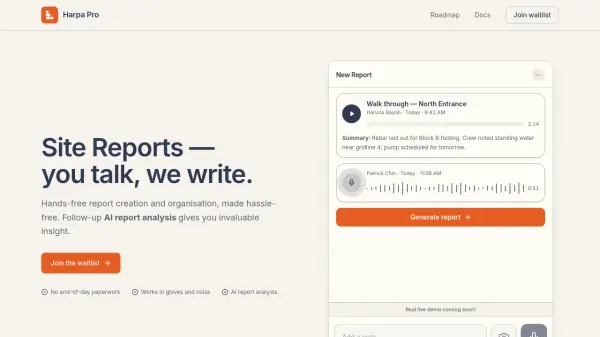
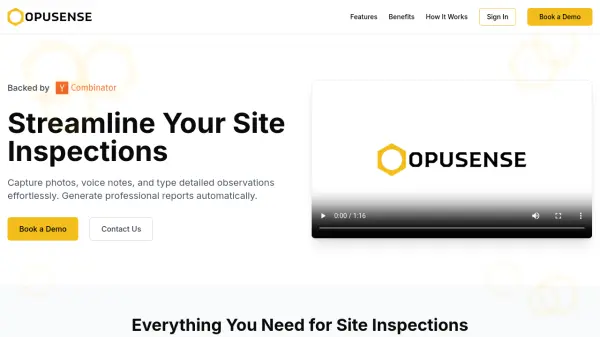
Opusense AI revolutionizes the site inspection process with a platform designed to simplify documentation and report generation. Users can easily capture high-quality photos, record voice notes with instant speech-to-text conversion, and type detailed observations—all within one streamlined workflow. The tool automatically organizes and formats all input into professional, client-ready reports.
Leveraging advanced AI, Opusense customizes reports to match existing company templates, brand styles, and writing preferences. It ensures every document maintains your organization’s unique identity, offers direct compatibility with Microsoft Word, and adapts the communication style to every client’s requirements, reducing manual effort, minimizing errors, and scaling effortlessly with organizational growth.
Features
- Photo Documentation: Capture high-quality images with location tagging and annotations.
- Voice Notes: Record observations hands-free with automatic speech-to-text conversion.
- Typed Notes: Enter detailed inspection details with easy text input.
- Custom AI Report Generation: Generates professional reports adapted to user-specific templates and branding.
- Direct Word Compatibility: Exports reports in .docx format for easy Microsoft Word editing.
- Brand & Language Style Adaptation: AI replicates branding and communication style in every report.
- Automatic Formatting: Organizes and presents data exactly as per template specifications.
Use Cases
- Construction site inspection documentation and reporting.
- Engineering project observation recordkeeping.
- Standardizing and automating safety audit reports.
- Managing facility condition assessments.
- Streamlining building and property inspections.
- Producing consistent client deliverables with custom branding.
- Reducing manual work in inspection-based compliance documentation.
FAQs
-
Can Opusense AI adapt to my company's existing report template?
Yes, Opusense AI analyzes and replicates your existing template's structure, branding, and formatting, ensuring reports match your preferred style. -
Does the platform support exporting reports to Microsoft Word?
Yes, reports can be directly exported in .docx format for seamless use and editing in Microsoft Word. -
How does Opusense AI handle voice notes?
Voice notes are transcribed automatically using speech-to-text technology, allowing hands-free documentation of site observations.