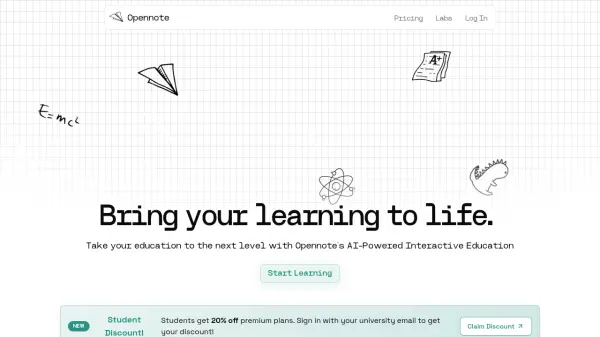
What is Opennote?
Opennote utilizes proprietary AI models, Feynman and Turing, to provide a unique educational experience tailored to individual learning preferences. The platform seamlessly integrates with popular productivity and storage tools such as Notion, GitHub, Obsidian, OneDrive, and Google Drive, enabling users to import their existing notes and knowledge bases directly.
Upon importing content, Opennote's AI performs an in-depth analysis to extract core concepts and understand the subject matter. It then generates engaging, personalized learning modules featuring structured animations, informative charts, and relevant diagrams to enhance comprehension. The tool further promotes active learning through integrated interactive elements, including Desmos graphing capabilities and a digital whiteboard for sketching and visualization.
Features
- Custom AI Models: Leverages Feynman and Turing models specifically designed for educational applications.
- Broad Integration: Supports importing notes and files from Notion, Files, GitHub, Obsidian, OneDrive, and Google Drive.
- Content Analysis Engine: Intelligently extracts core concepts and understands the nuances of user-provided content.
- Personalized Content Generation: Creates tailored learning materials including video animations, charts, and diagrams.
- Interactive Learning Tools: Features integrated Desmos graphing and an interactive whiteboard.
- Agentic Learning Approach: AI adapts to and learns from the user's interaction to personalize the teaching style.
Use Cases
- Converting study notes into interactive learning modules.
- Generating personalized educational content from diverse sources.
- Visualizing complex topics through AI-generated animations and diagrams.
- Enhancing understanding with interactive graphing and sketching tools.
- Creating a centralized, interactive knowledge base from multiple platforms.
FAQs
-
How does Opennote work?
Opennote analyzes your imported notes and content using its custom AI models (Feynman and Turing) to understand key concepts. It then generates personalized, interactive learning materials like animations and diagrams suited to your learning style. -
How do I integrate my own knowledge bases?
You can integrate your knowledge by importing notes and files directly from various platforms including Notion, local files, GitHub, Obsidian, OneDrive, and Google Drive.