OpenModerator favicon

OpenModerator
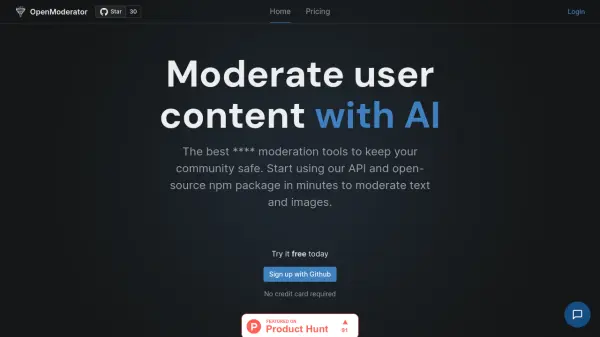
Moderate user content with AI

What is OpenModerator?

Offers robust moderation tools designed to ensure community safety. Users can integrate its capabilities through an Application Programming Interface (API) or utilize the provided open-source npm package ('content-checker') for easy implementation.

This system focuses on moderating both text-based and image-based user-generated content, facilitating a secure online environment. Implementation can be achieved quickly, allowing communities to benefit from AI-driven content oversight within minutes.

Features

  • AI Content Moderation: Utilizes artificial intelligence to moderate user-submitted text and images.
  • API Access: Provides an API for seamless integration into applications.
  • Open-Source NPM Package: Offers a publicly available npm package ('content-checker') for developers.

Use Cases

  • Ensuring online community safety
  • Filtering user-generated text content
  • Screening user-uploaded images
  • Integrating moderation into web applications
  • Automating content review processes

Related Tools:

Blogs:

  • Long Videos into Viral Shorts

    Long Videos into Viral Shorts

    Klap.app is an AI-powered video editing tool that transforms long-form videos into engaging short clips optimized for platforms like TikTok, Instagram Reels, and YouTube Shorts

  • Top 6 AI note-taking tools for 2026: in-person, online, and hybrid use cases

    Top 6 AI note-taking tools for 2026: in-person, online, and hybrid use cases

    Most AI note-taking lists are really lists of meeting bots, which join your video call and transcribe it. That's useful, but it's half the picture. Decisions happen in hallway conversations, client dinners, on-site visits, and hybrid rooms where nobody is on a video link. This guide covers different parts of the note-taking workflow: hardware capture for in-person settings, platform-native tools for online calls, and AI layers for organizing and synthesizing what you've captured. It compares six tools by capture context, workflow fit, pricing, and limitations.

Didn't find tool you were looking for?

Be as detailed as possible for better results