What is OnlinePaste.com?
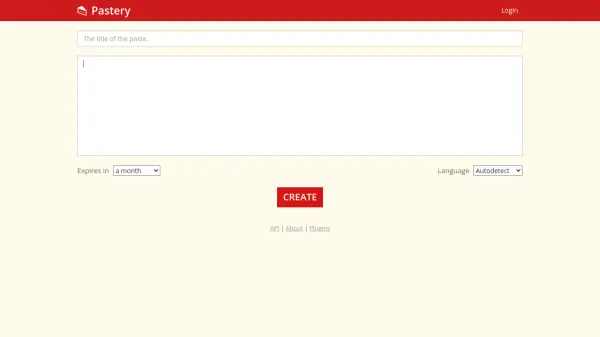
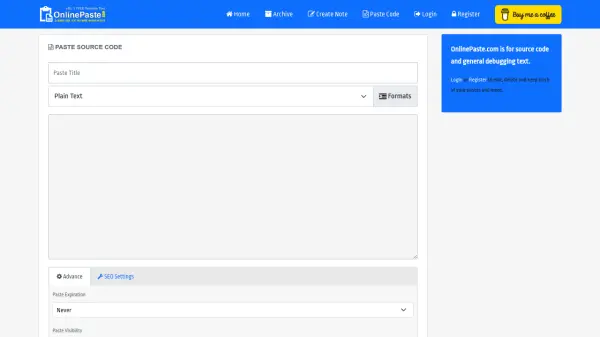
OnlinePaste.com provides a clean, ad-free platform for developers and users to share source code and debugging text. The tool supports multiple programming languages with syntax-friendly formatting that preserves indentation. Users can create pastes anonymously without registration or sign up for additional features like editing and tracking pastes.
The platform offers security options including password protection, expiration settings, and private visibility modes. Pastes generate short, shareable URLs and can be downloaded as plain text for reuse. Advanced features include SEO settings, category tagging, and database encryption for enhanced privacy and organization.
Features
- Syntax Highlighting: Supports multiple programming languages with preserved indentation
- Password Protection: Optional security for private code snippets
- Expiration Settings: Configurable time limits from 10 minutes to 1 month
- Shareable URLs: Short links for easy code sharing
- Downloadable Content: Pastes can be saved as plain text files
- Multiple Visibility Options: Public, unlisted, or private paste settings
- SEO Settings: Custom meta descriptions and indexability controls
- Category Organization: Tags and categories for better paste management
Use Cases
- Sharing code snippets with team members during development
- Debugging assistance by sharing error logs or problematic code
- Educational purposes for demonstrating programming concepts
- Temporary storage of configuration files or scripts
- Collaborative coding sessions with instant sharing capabilities
- Creating reference materials for programming tutorials
- Storing and sharing text notes or documentation