What is OneConv?
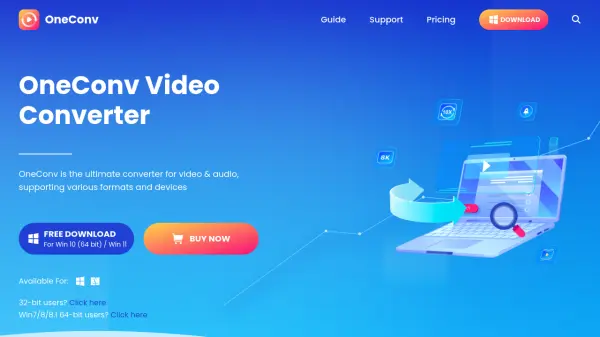
OneConv is an all-in-one video and audio converter designed for efficiency and quality. It supports a wide range of formats including MP4, MKV, MOV, MP3, AAC, WAV, FLAC, and OGG, enabling seamless conversion between video and audio files. With GPU acceleration, it achieves up to 10X faster conversion speeds while maintaining lossless quality. Users can batch convert multiple files, compress 4K and 8K videos to 1080P or 720P without quality loss, and output files optimized for any device like iPhones, Android phones, tablets, or vlogging cameras. The intuitive interface makes it accessible for both beginners and professionals.
Features
- Format Support: Convert between MP4, MKV, MOV, MP3, AAC, WAV, FLAC, OGG, and more.
- 10X Faster Speed: GPU-accelerated conversion for large 4K/8K files without quality loss.
- Compress 4K/8K Videos: Reduce resolution to 1080P or 720P while preserving visual quality.
- Batch Conversion: Process multiple files at once with pause/resume capability.
Use Cases
- Convert videos for compatibility across devices like iPhones, Android, tablets, and cameras.
- Extract audio from video files for podcasts or music libraries.
- Compress large 4K/8K videos for social media upload or storage.
- Prepare video clips for editing by cropping and converting formats.
FAQs
-
What are the limitations of the trial version compared to the full version?
The trial version restricts you to converting only one-third of a video and saving no more than three videos from online websites. The full version offers unlimited access. -
Is it possible to convert videos into audio formats using OneConv?
Yes, you can easily convert MP4 files to MP3 and other audio formats. Converting from audio to video will result in a black screen in the output. -
Does converting videos with OneConv affect the quality?
OneConv offers a 'Same as source' quality option to maintain the original quality post-conversion. -
Can I convert multiple files simultaneously with OneConv?
Yes, you can import multiple files and click 'Convert All' to process them in batch. -
Having trouble downloading or updating OneConv?
Ensure compatibility with your operating system. For Win10 (64 bit)/Win 11, download from the official site. For older systems, use the alternative link provided.