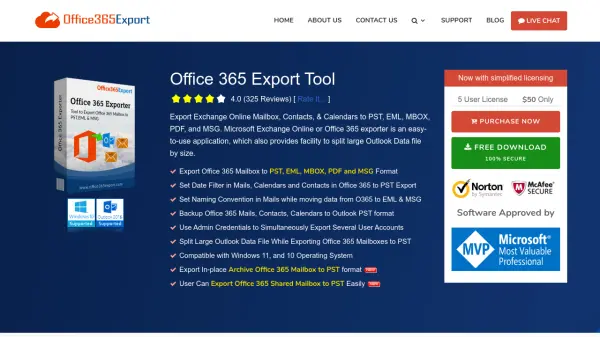
What is Office 365 Export Tool?
Office 365 Export Tool is a comprehensive desktop solution for exporting Microsoft Exchange Online or Office 365 mailboxes, contacts, and calendars into multiple formats, including PST, EML, MBOX, PDF, and MSG. The software streamlines the data migration and backup process, allowing users to set date filters, apply naming conventions, and split large output files by size. It supports both single and multiple user account exports, leveraging admin credentials for large-scale operations.
With robust filtering by category and date, users can precisely control the scope of exported data and ensure efficient transfers. The tool also supports exporting in-place archive and shared mailboxes, maintaining the original mailbox hierarchy and metadata. Pause and resume functionality adds resilience to the process, while extensive support for Windows 10 and 11 ensures compatibility with modern systems. Exported results are accessible in widely used email and document formats for seamless integration with varied email clients and workflows.
Features
- Multi-Format Export: Export mailboxes, contacts, and calendars to PST, EML, MBOX, PDF, and MSG.
- Date and Category Filtering: Select items for export using date ranges and specific categories.
- Bulk Export Support: Export data from multiple user accounts simultaneously using admin credentials.
- File Splitting: Split large output PST files by specified size during export.
- Custom Naming Conventions: Apply multiple file naming patterns for EML and MSG exports.
- Export In-Place Archive and Shared Mailboxes: Support for both standard and archive mailboxes.
- Pause and Resume: Pause the export process and resume from the exact same point.
- Comprehensive Reporting: Generate summary and detailed export reports in CSV or ZIP formats.
- Demo Version: Free version backs up the initial 100 emails and 25 other items.
Use Cases
- Migrating mailboxes from Office 365 to Outlook or another desktop email client.
- Backing up Office 365 email, contacts, and calendar data for organizational compliance.
- Exporting emails from multiple Office 365 user accounts for archival or data analysis.
- Transferring archived or shared mailbox data for business continuity security.
- Saving Office 365 emails in PDF format for documentation or legal purposes.
FAQs
-
Can I export mailboxes from multiple Office 365 user accounts at once?
Yes, by using admin credentials, you can simultaneously export data from several Office 365 user accounts. -
Does the tool require MS Outlook to be installed?
No, Office 365 Export Tool can export data to PST and other formats without requiring Outlook to be installed. -
Are exported EML files compatible with different email clients?
Yes, EML files exported by the tool can be imported and opened in clients such as Mozilla Thunderbird, Apple Mail, PocoMail, and Windows Live Mail. -
What type of PST files does the tool produce?
The tool generates Unicode PST files that are compatible with MS Outlook 2019, 2016, 2013, and earlier versions. -
Can the tool export in-place archive and shared mailboxes?
Yes, it supports exporting both in-place archive and shared mailboxes to PST and other supported formats.