NoCode.Tube favicon

NoCode.Tube
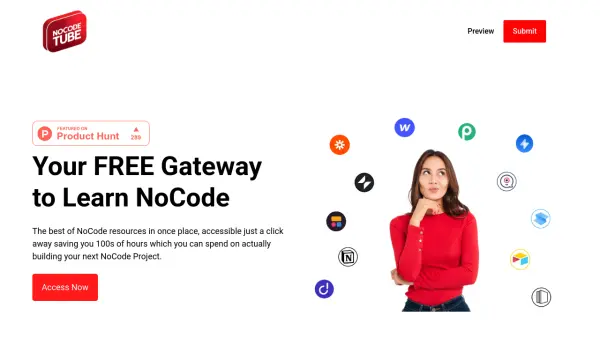
Your FREE Gateway to Learn NoCode

What is NoCode.Tube?

NoCode.Tube serves as a centralized hub for learning and implementing NoCode solutions, offering a curated collection of resources from across the web. It enables users to progress from understanding NoCode fundamentals to constructing functional projects, such as e-commerce sites, efficiently within hours instead of days.

The platform is designed to streamline the learning process by eliminating the need to search multiple sources, thereby allowing users to focus more on actual project development. By providing easy access to essential tools and tutorials, it supports both beginners and experienced individuals in mastering NoCode techniques for various applications.

Features

  • Resource Aggregation: Curates the best NoCode tools and tutorials from across the web in one place
  • Time-Saving: Reduces search time by hundreds of hours, enabling faster project development
  • Learning Progression: Guides users from NoCode basics to advanced project building, such as e-commerce sites
  • Free Access: Provides all resources at no cost, making NoCode learning accessible to everyone

Use Cases

  • Learning NoCode fundamentals for beginners
  • Building e-commerce sites without coding
  • Accessing curated NoCode tools and tutorials efficiently
  • Saving time on resource searches for project development

Related Tools:

Blogs:

  • Top AI tools for Teachers

    Top AI tools for Teachers

    Explore the top AI tools designed for teachers, revolutionizing the education landscape. These innovative tools leverage artificial intelligence to enhance teaching efficiency, personalize learning experiences, automate administrative tasks, and provide valuable insights, empowering educators to create engaging and effective educational environments.

  • Top 6 AI note-taking tools for 2026: in-person, online, and hybrid use cases

    Top 6 AI note-taking tools for 2026: in-person, online, and hybrid use cases

    Most AI note-taking lists are really lists of meeting bots, which join your video call and transcribe it. That's useful, but it's half the picture. Decisions happen in hallway conversations, client dinners, on-site visits, and hybrid rooms where nobody is on a video link. This guide covers different parts of the note-taking workflow: hardware capture for in-person settings, platform-native tools for online calls, and AI layers for organizing and synthesizing what you've captured. It compares six tools by capture context, workflow fit, pricing, and limitations.

Didn't find tool you were looking for?

Be as detailed as possible for better results